EN-25
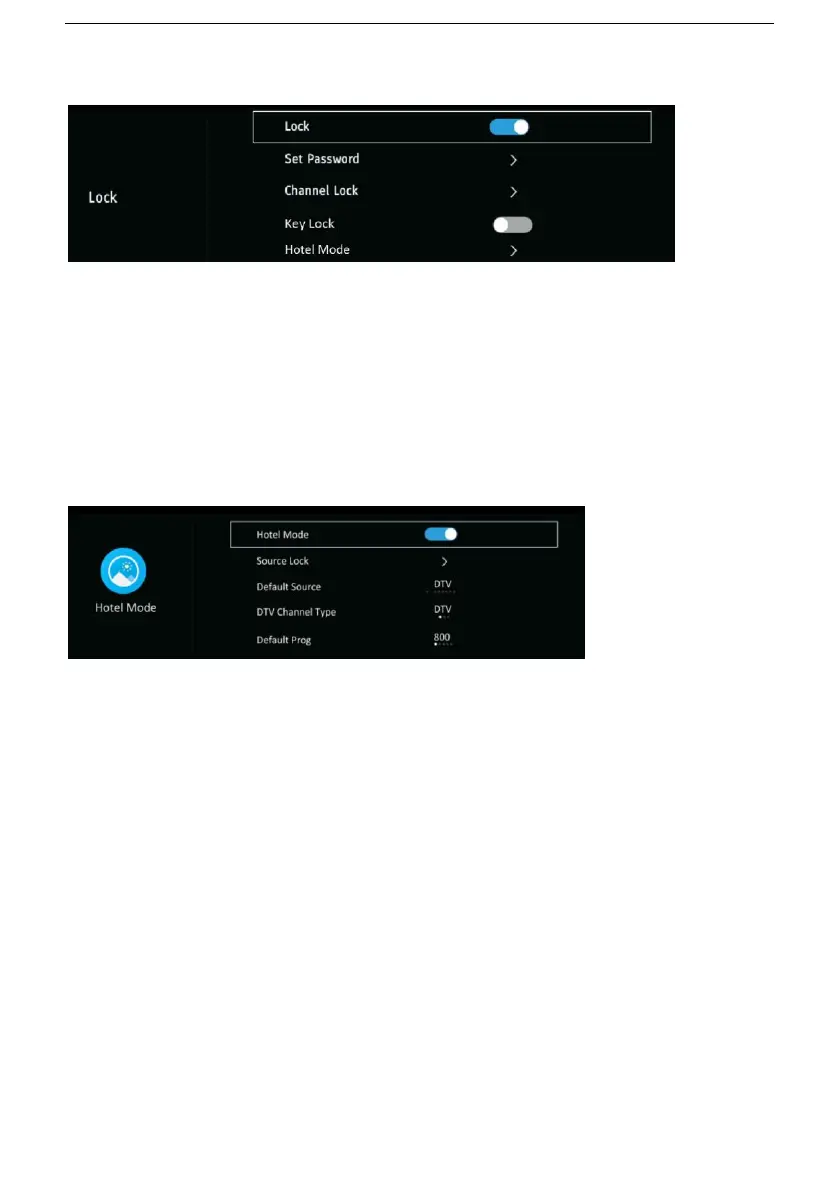
Lock: turn on/off lock.
Set password: input the old password using number buttons and then
input your private password twice to finish it.
Channel Lock: when entered, press GREEN button to lock/unlock a
channel.
Key Lock: turn on/off key lock.
Hotel Mode: enter Hotel Mode.
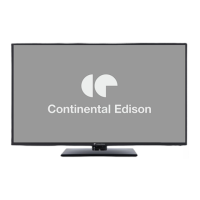
Hotel Mode: turn on/off Hotel Mode.
Source Lock: turn on/off the lock of available sources.
Default Source: set the default source.
DTV Channel Type: set the DTV channel type.
Default Prog: set the default digital program.
Default Volume: set the default volume level.
Max Volume: set the maximum volume level.
CH Table Import: import CH data from USB device.
CH Table Export: export CH data to USB device.
Clear Lock: Clear above settings.
USB Clone to TV: clone data from USB device.
TV Clone to USB clone data to USB device.


 To Next Page