EN-32
9. Media Player
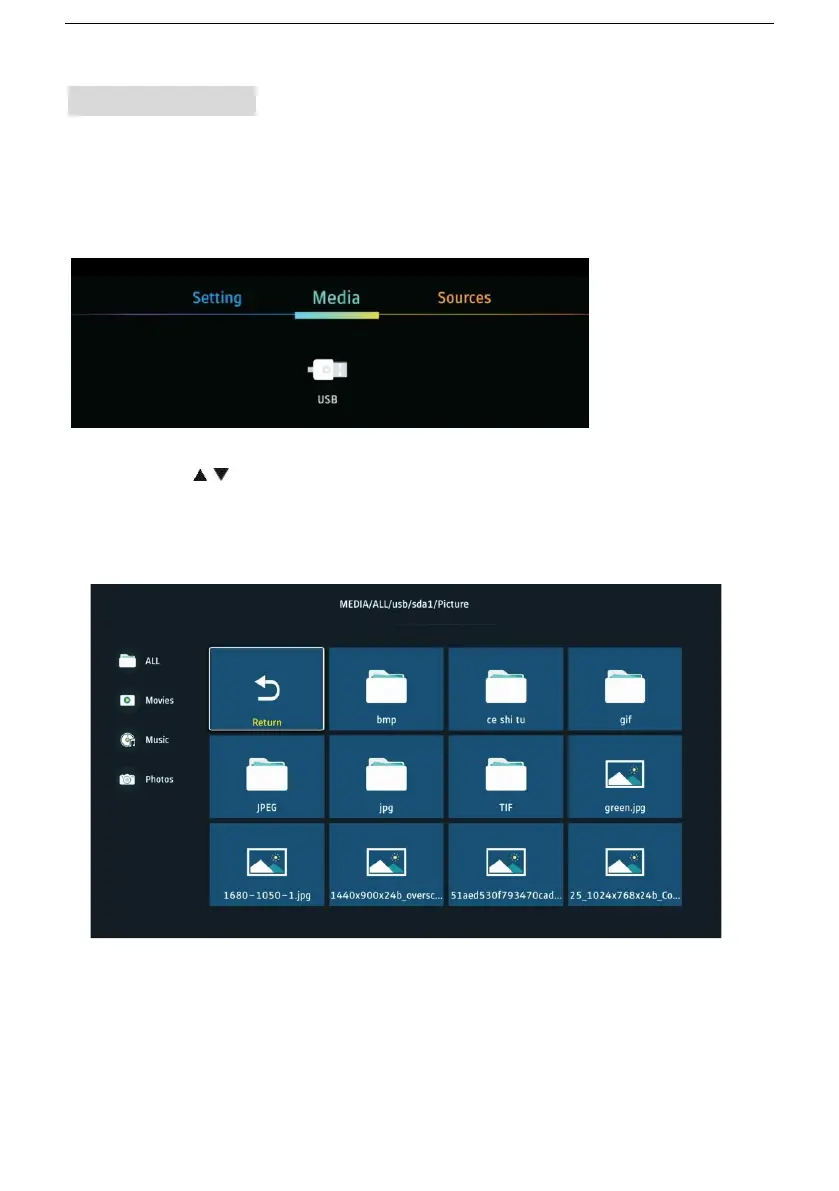
Before operating MEDIA menu, plug in USB device. Press the MENU
button on remote control to open main menu. Then press UP navigation
button to move the cursor to title. Select Media and press DOWN
navigation button to highlight USB.
Press ◄/► / button to highlight your preferred submenu: Photo,
Music and Video, press OK button to confirm. Press MENU button to
enter key operation in your preferred submenu.


 To Next Page