– 6 –
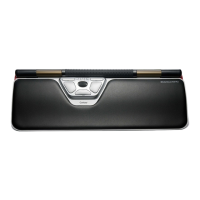
Rollerbar click force adjustment
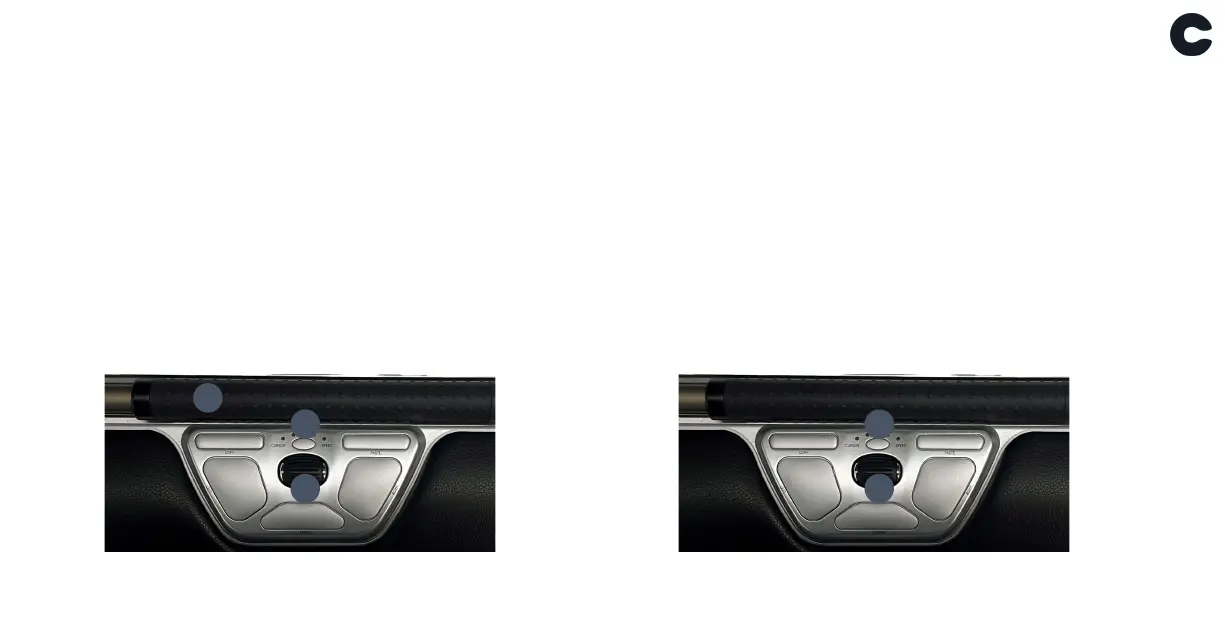
Click force refers to the level of resistance when clicking the
Rollerbar. To adjust click force, press and hold button B
(Cursor speed) then press and release A (Rollerbar). Move
button G (Scroll wheel) up/down to adjust the click force and
release button B to confirm.
To disable the Rollerbar click function, adjust until all LEDs are
illuminated.
Rollerbar click volume adjustment
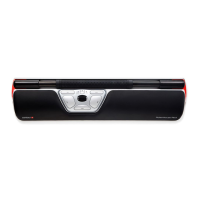
The Rollerbar has 6 different click volume settings. To change
the click volume, press and hold button B (Cursor speed)
then press and release button G (Scroll wheel), the LED light
will show the current click volume setting. To adjust the click
volume move button G up/down and then release button B
to confirm.
To disable the Rollerbar click volume, adjust until alle LEDs are
illuminated.
B
G
B
G
A


 To Next Page