10
NAVIGATION
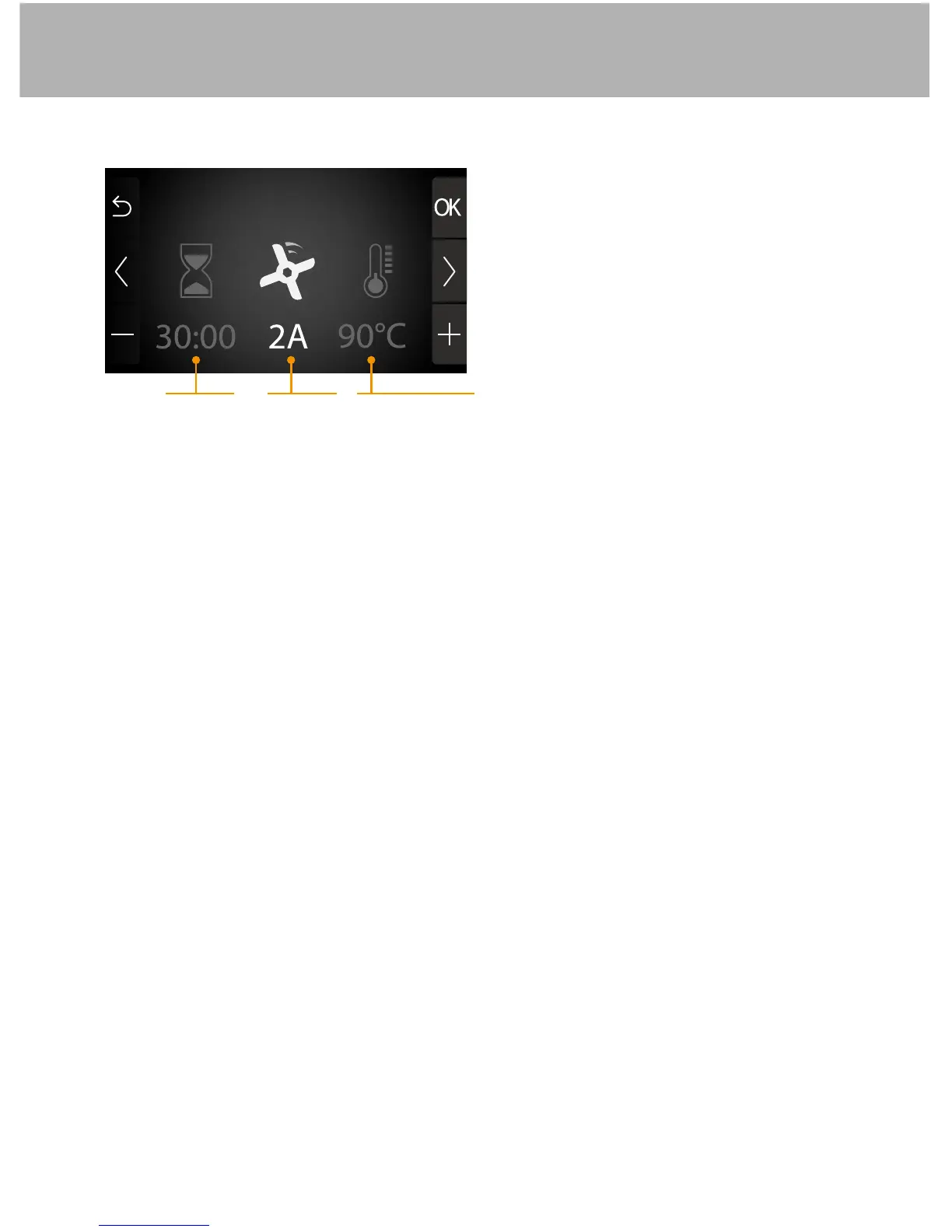
1� Press the < or > button to select the option (highlighted)�
2� Immediately press – or + to adjust the highlighted option�
• The heating function is only activated if you programme a cooking time�
• The programme includes an automatic timer�
• You can press the STOP button at any time to pause the programme�
Press AUTO again to resume the programme�
• When the programme is finished, you will hear a beep and the appliance will
automatically stop�
• The time is displayed in minutes, then hours�
• The maximum amount of time you can programme depends on which speed
you select:
- Speed 0 - 4: 2 hr
- Speeds 5 - 13: 10 min
- Speeds 14 - 18: 1 min
- the maximum programmable speed will vary according to the speed and /
or the programmed time (ex� : speed 0 max� 110°C)
• If you encounter a problem with the display, simply switch your appliance off
(flip the switch to 0) then on again�
Time Speed Temperature
Adjusting the options (time, speed, temperature):
Simmer


 To Next Page