SETTINGS MENU
27
Download the instructions for
use on your Magimix website�
Useful information for your
service�
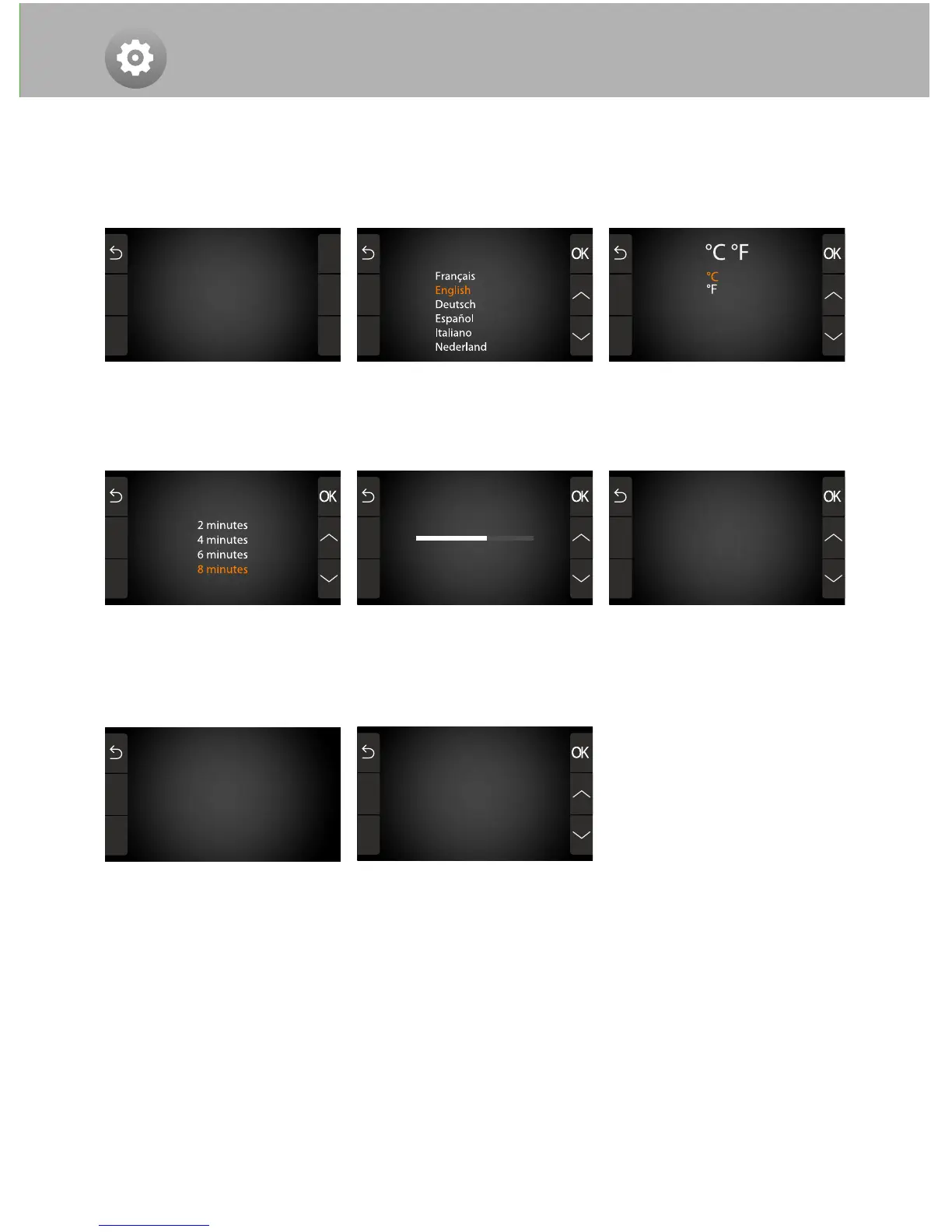
Choose when your appliance
will go into standby�
Personalise your appliance
Meter
Select the Settings menu to access the list of parameters you can adjust to personalize your
appliance�
Select your language� Press
OK to set�
Adjust the volume of the beep
that tells you when a task is
finished�
Select the temperature display:
Celsius or Fahrenheit�
Select the menu you wish to see
when you switch your appliance
on�
Versions Working Hours
SYSTEM: V1�63q Motor: 0
Motor: 1�09
TEMP: V1�03
LanguagesInstructions
www.magimix.uk.com
www.cookexpert.com.au
Sound
Meter
Menu order
Settings
Recipes
Rinsing
Expert
Cooking
Blender
Standby
Solely for demonstrating the
appliance in the shop� When
«On», the screen works,
but the induction system does
not heat and the blades do
not turn�
Demonstration mode
Off
On
Demonstration


 To Next Page