3
ThesoupwellsystemusesSmarTemp™technologytoactivelycontrolthe
temperatureofthepan.Factorysettingallowstheusertochoosefromfour
temperaturesettingsinFahrenheitorCelsius.Thenumberoftemperaturesettings
canalsobeincreasedtofteentotalusingthe“ChangingtheTemperatureSettings”
option on page 5, and the temperature scale changed between Fahrenheit and
Celsiususingthe“ChangingtheTemperatureScale”optiononpage5.Theunitis
alsoequippedwitharethermalizationmodetoquicklywarmcoldorfrozensoup.
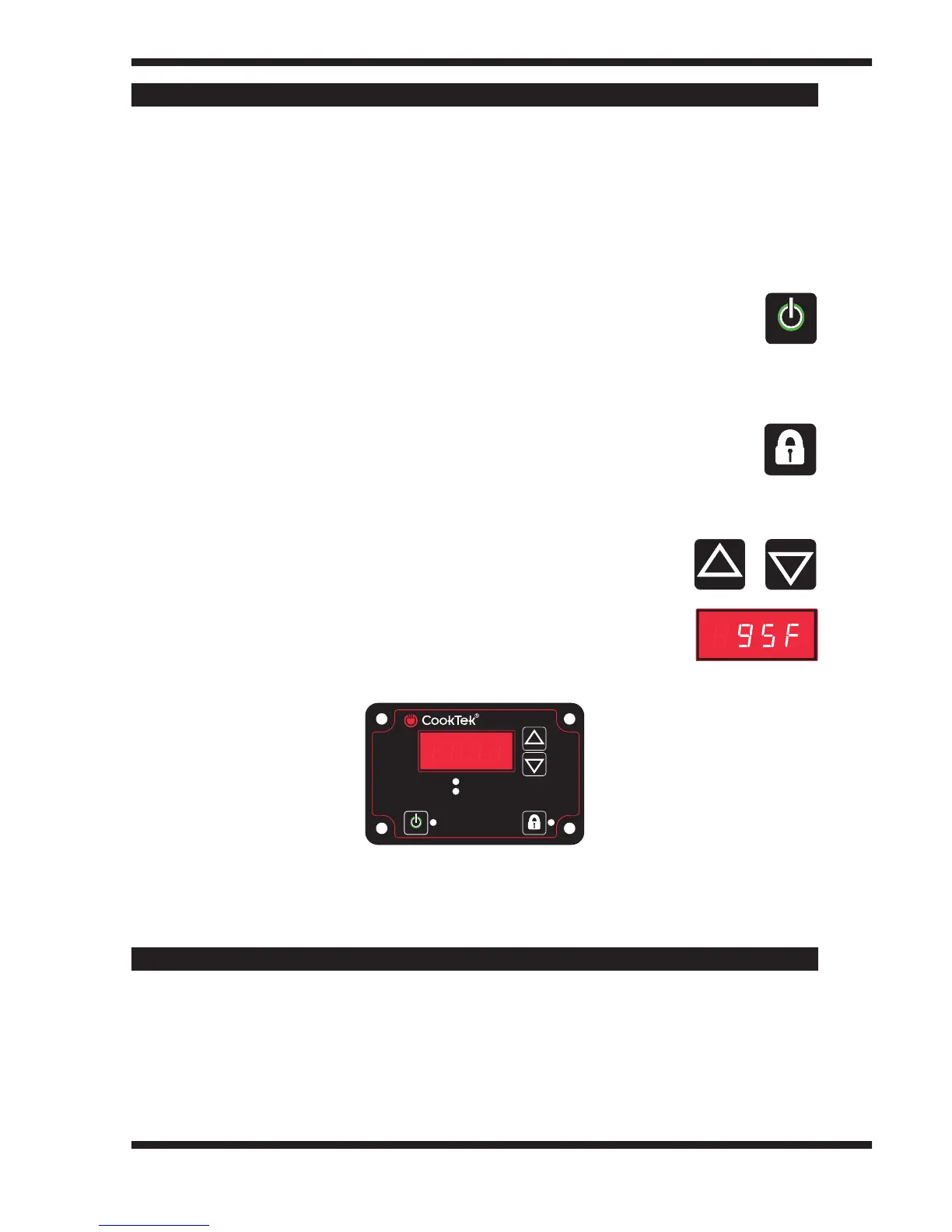
User Interface Buttons
Power Button–Usethisbuttontoturntheunitonandoff.AgreenLED
will indicate when the unit is on.
Lock Button – Use this button to prevent users from adjusting settings.
Pressingthisbuttonthreetimeswilllocktheunit.Whentheunitislocked,
theonlybuttonthatwillcontinuetoworkisthePowerbutton.Tounlock
theunit,presstheLockbuttonthreetimes.TheredLEDtotherightof
the button will indicate when the unit is locked. Pressing the lock button
oncewillalsodisplaythecurrenttimervalue(whenthetimerfeature
is enabled).
Up and Down Arrows –Thesebuttonsallowyoutoquicklyset
the temperature or choose rethermalization mode.
Alphanumeric Display–Displaysholdingtemperature
(Fahrenheit or Celsius) and error code information.
Control Panel
Thesoupwellisdesignedtobeusedwithan11qt(10.4L)bainmariesouptureen.
The unit should not be operated without using the water bath. An adapter ring
canbepurchasedseparatelytoallowtheunittoworkwitha7qt(6.6L)souptureen.
CookTek’ssoupwellisinconformancewithANSI/UL197andCSA22.2No.109
standardsandbearsthecommerciallyratedapprovals.CookTek’ssoupwellisin
conformance with European Economic Area standards and bears the CE marking
signifyingEuropeanConformity.
POWER LOCK
At Temp
Heating
APPROVED FOR COMMERCIAL USE
GENERAL INFORMATION



 To Next Page