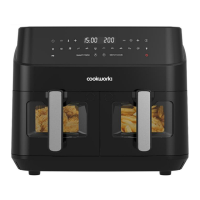
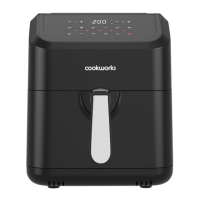
Digital Panel Function
A. Temperature Plus / Minus
B. Numeric Display
C. Timer Plus / Minus
D. Start / Pause
E. Power
F. Steak
G. Vegetables
H. Drumstick
I. Pizza
J. Meat
K. Fish
L. Shrimp
M. Fries
N. Cake
O. Pre-Heat
Automatic Switch-Of
This appliance is equipped with a timer. When the timer has counted down to 0, the appliance
produces 10 “BEEPS” and switches off automatically. To switch off the appliance manually, press
“Power” to shut down the unit.
Note: Pressing “Start/Pause” only pauses the air frying process, the unit will NOT be switched
off.
Before First Use
1. Remove all packing material.
2. Thoroughly clean the Frying tray, and frying Basket, with warm water and some
washing up liquid using a non-abrasive sponge.
Note: You can also clean these parts in the dishwasher.
3. Wipe the outside of the appliance with a moist cloth.


 To Next Page