6
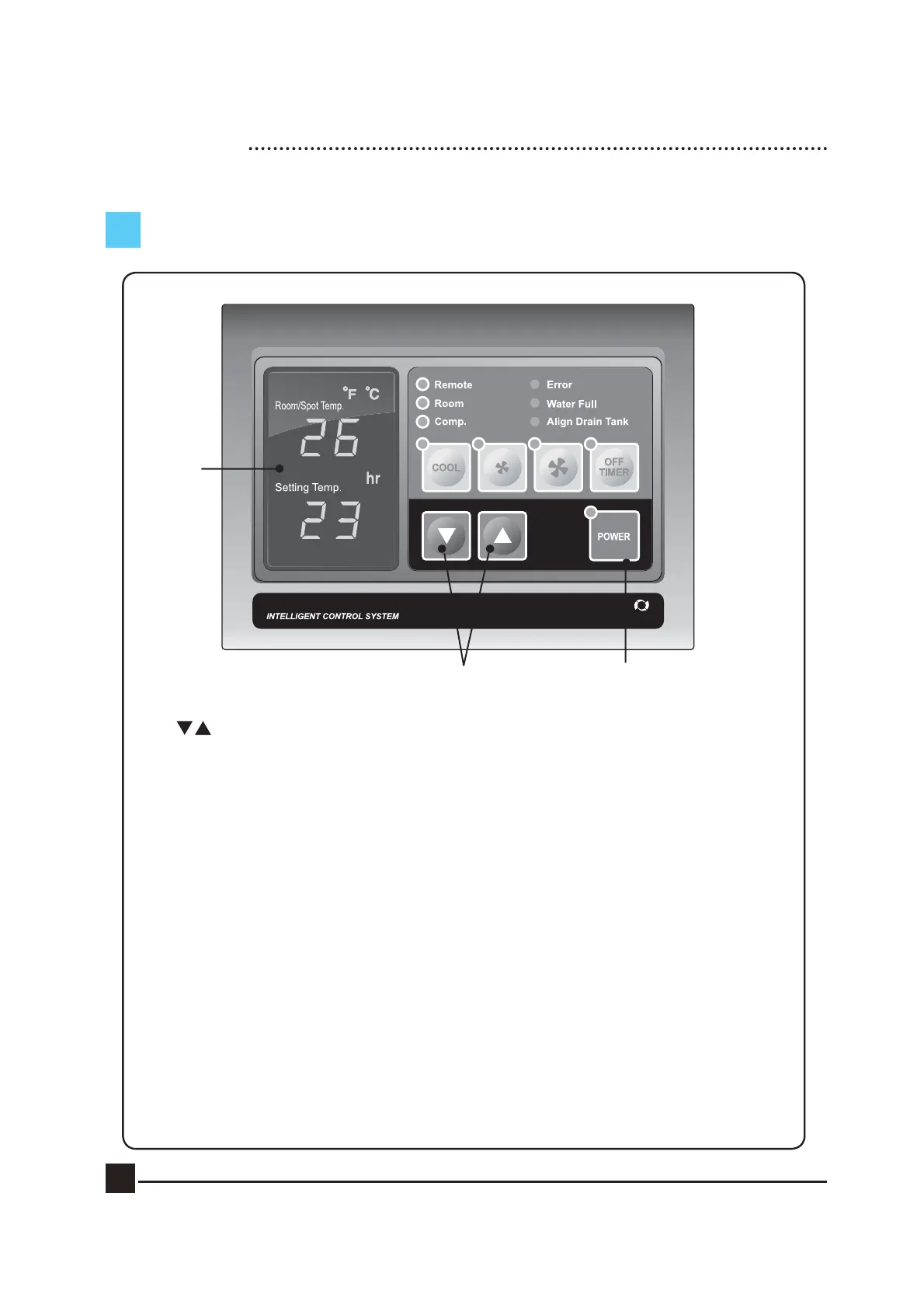
CONTROL PANEL FUNCTIONS
① Power : Use to power On / Off.
② : Raises or lowers temperature and/ or sleep (off) time.
③ Cool : Use to select cooling mode.
④ Low Mode : Controls fan low speed.
⑤ High Mode : Controls fan high speed.
⑥ Off Timer : To set the length of time, once turned on, that you wish the
cooler to run for. You can set 0~24 hours. Time intervals are
30mins. up to 10 hours and then 1 hour between 10 and 24 hours.
⑦ Remote : From the long distance, you can control the machine by wired remote control.
⑧ Room : If the LED is On, the displayed temperature is for Room temp. If the LED
is Off, the displayed temperature is for spot temp.
⑨ Comp. : When the compressor is operating, the LED is On.
⑩ Error : Error signal ( E1 : High Pressure, E2 : Low Pressure, E3 : Sensor, AF: Eva Freezing)
⑪ Water Full : Red light indicates ‘Tank Full’. The compressor will shut off
automatically. Empty tank and replace in position to resume operation.
⑫ Align Drain Tank : The red light indicates the water tank is not in the correct position.
⑬ Display : Display Room/Spot temperature, and the setting temp and sleep time in case of
setting them. When the user set the sleep timer, ‘hr’ will be turned on.
(Display of 'LO' : under the 0℃, Display of 'HI' : over the 50℃)
⑤
①
②
③④
⑦
⑧
⑩
⑪
⑫
⑬
⑨
⑥


 To Next Page