7
OPERATION
RUNNING & STOP
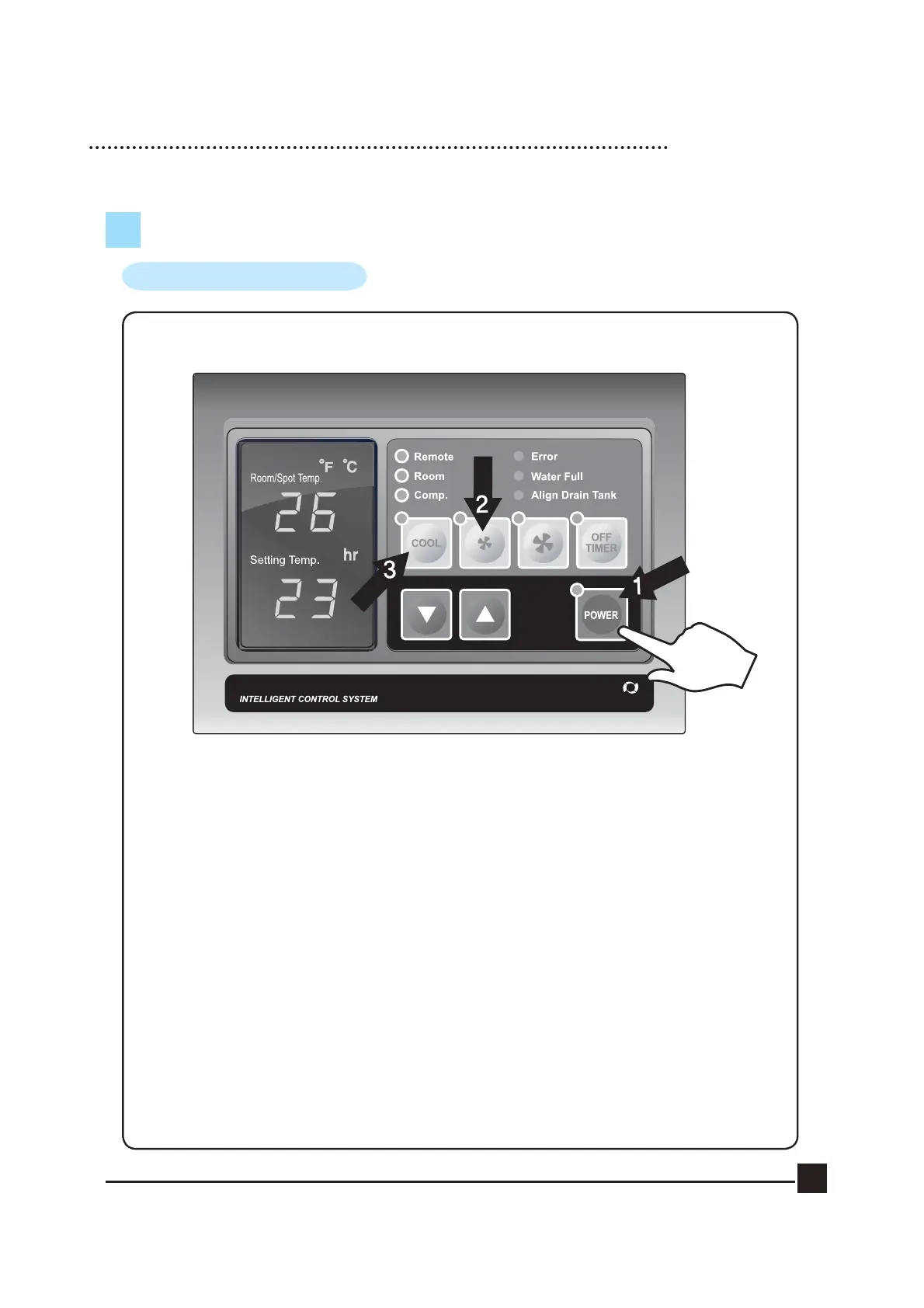
1. START BY PRESSING THE ‘POWER’ BUTTON.
·Cooler will start up automatically.
·To STOP the unit, press the ‘POWER’ button once again.
2. To change fan speed, press the ‘Low’ button.
3. If you wish to operate on fan only, press the ‘COOL’ button. To resume cooling,
press the ‘COOL’ button again.
(Note : There is a 3 minute delay when switching functions to protect the compressor)


 To Next Page