10
Main Menu
Picture
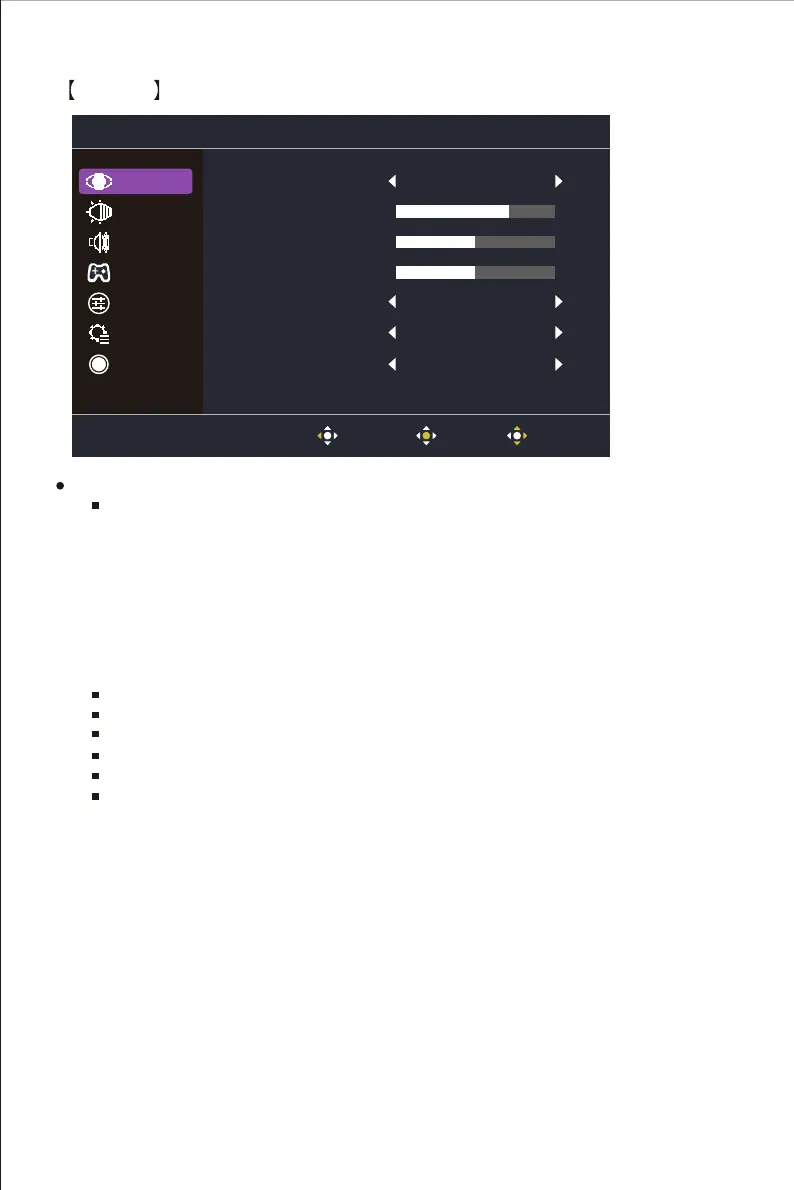
Enter the Picture menu to configure image setting.
Picture Mode: Enter the Picture Setting menu to adjust different picture modes.
a. Act: Provide the optimized setting for Act(Action) games.
b. FPS: Provide the optimized setting for FPS(First Person Shooting) games to increase
the visibility in dark scenes.
c. RTS: Provide the optimized setting for RTS(Real-Time Strategy) games.
d. User: Provide customized option for user experience.
e. Standard: Enable standard picture mode.
f. Web: Provide the optimized setting for website browsing experience.
g. Text: Provide the optimized setting for reading(Native color space: sRGB).
h. HDR: EnableHDR picture mode.
Brightness: Adjust the backlight brightness level between 0 and 100.
Contrast : Adjust the Contrast level between 0 and 100.
Black Stabilization: Adjust the backlight brightness level between 0 and 10.
Blue Light Filter : Adjust the Contrast level between Off,50%, 60%,70% and 80%.
HDR: Turn the HDR function Off or Auto.
Advanced DCR: Turn the Advanced DCR function On or Off.
Picture Mode Standard
Off
80
50
5
Brightness
Contrast
Black Stabilization
Blue Light Filter
Advanced DCR
HDR
Off
Off
Picture
Color
Audio
Gaming
OSD
System
Information
Exit enter Move















 To Next Page