DP
Resolution:1920x1080 165Hz
Input Source
Brightness/Contrast
Color Setting
Picture Quality Setting
Display
Audio
Multi-Window
Other
Window1:
InputSource: DP
Resolution:
Window2:
InputSource:
Resolution:
OSD
1920x1080 165Hz
Gamma
Pictrue Mode
Color Temperature
Low Blue Light
Saturation
RGB Range Full
Hue
2.2
Standard
Warm
50
50
0
Cooler Master LCD Monitor User Manual-10
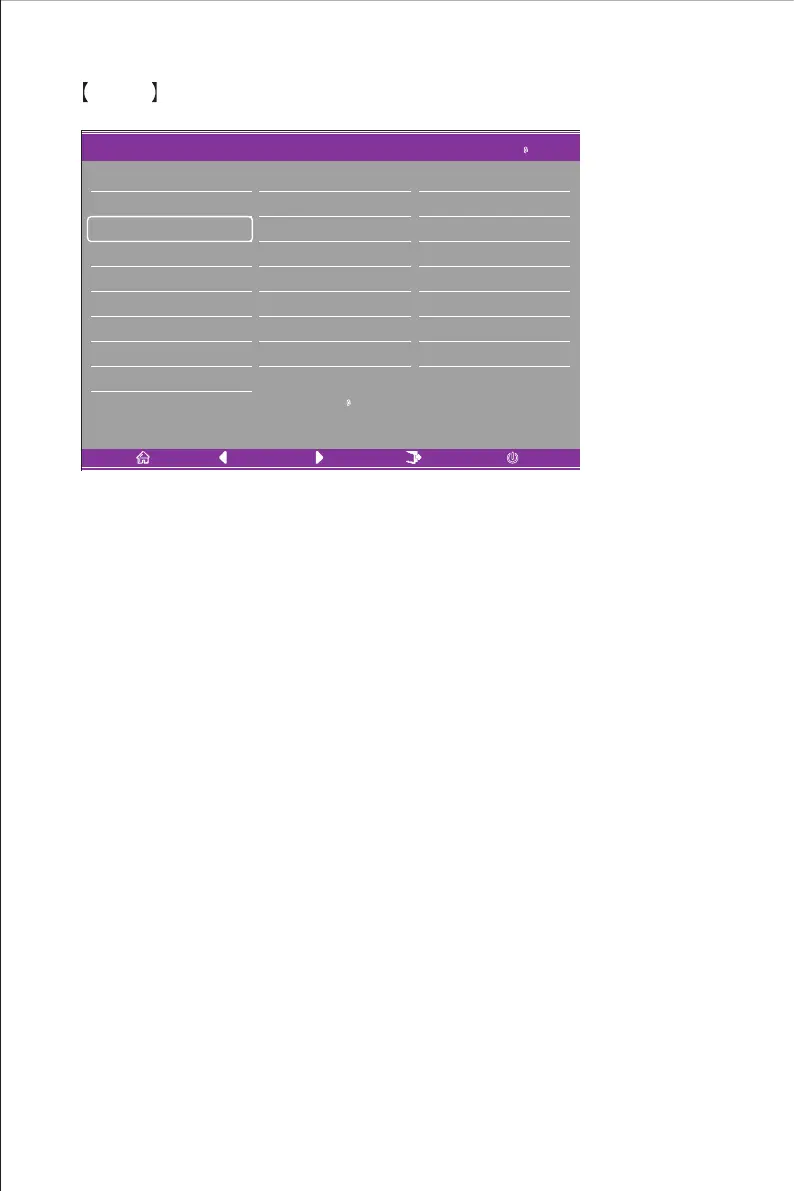
Color
Enter the Color menu to adjust the Gamma, Picture Mode, Color Temperature, Low Blue Light,
Hue and Saturation functions etc.
1.Gamma: Adjust the gamma between 1.8 and 2.6.
2.Picture Mode: Adjust between different usage scenarios including Standard, Graphic, Movie,
Game etc.
3.Color Temperature: Adjust between Cool, Warm and USER settings.
4.Low Blue Light: Adjust the low blue light setting value between 0 and 100.
5.Hue: Adjust the hue for the three colors red, green and blue.
6.Saturation: Adjust the saturation for the three colors red, green and blue.















 To Next Page