
 Need help?
Do you have a question about the Coolmay MX2N Series and is the answer not in the manual?
Details the key features and advantages of the COOLMAY MX2N PLC.
Outlines the different types and technical specifications of the MX2N series.
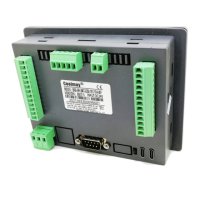
Describes the physical hardware components and layout of the MX2N series.
Details the structure and dimensions of the MX2N-43HB model.
Details the structure and dimensions of the MX2N-70HB model.
Explains the interfaces and indicator lights on the PLC units.
Explains the program step assignments for basic logic instructions.
Details mnemonics, functions, and program steps for step command instructions.
Compares PLC function instructions with Mitsubishi PLC equivalents.
Lists special relays and registers and their functions.
Describes the different types of analog input signals the PLC can accept.
Explains how analog input values are read and stored in registers.
Describes the types of analog output signals the PLC can generate.
Explains how analog output values are read and managed.
Provides a table mapping inputs to high-speed counter models.
Explains the instructions and settings for high-speed counting.
Describes the optional communication port functions for MX2N-70HB.
Lists special registers and relays for Modbus-RTU protocol.
Explains the settings for D8120 communication parameters.
Details instructions for using Modbus-RTU as a master station.
Lists element addresses for Modbus-RTU protocol as a slave.
Lists special registers and relays for RS protocol.
Instructions for installing and using the CoolMay HMI touch panel software.
Guide for creating a new touch panel program using the software.
Instructions for downloading the touch panel program via USB.
Refers to another manual for additional HMI software usage.
 General
| Brand | Coolmay |
|---|---|
| Model | MX2N Series |
| Category | Touch Panel |
| Language | English |

 To Next Page