WaveLinx Networked Relay Panel Quick Start (Version 15)
www.cooperlighting.com 13
Troubleshooting Tips
If you are unable to connect to the Wireless Area Controller:
• Confirm that the Wi-Fi on your device is turned ON.
• Verify that the Wi-Fi network selected is Cooper-
XXXXXXXXXXXX, where X is the MAC address noted from the
WaveLinx Area Controller.
• Once logged in to the mobile app, if the WaveLinx Area
Controller is not listed, select to rescan.
If the WaveLinx Mobile App is not importing the WaveLinx
Networked Relay Panel:
• Confirm that the WaveLinx Networked Relay Panel is powered
and connected to the network switch.
• Using the panel’s onboard display, view the network status.
Make sure that the network STATE is READY and that the LINK
is CONNECTED. Verify that the IP address showing is the one
being used when using the Mobile App to add the panel.
• Confirm that the IP addresses given to the WaveLinx Area
Controller and the WaveLinx Area Hub are in the same subnet.
• In the WaveLinx Mobile app try to add the panel again.
• Factory reset the WaveLinx Relay Panel using the onboard
display. Reconfigure the Relay Panel and then use the
WaveLinx Mobile App to retry adding the panel.
If the dimmers are not appearing as devices in the WaveLinx
Networked Relay Panel:
• Confirm that the WaveLinx Networked Relay Panel has been
imported.
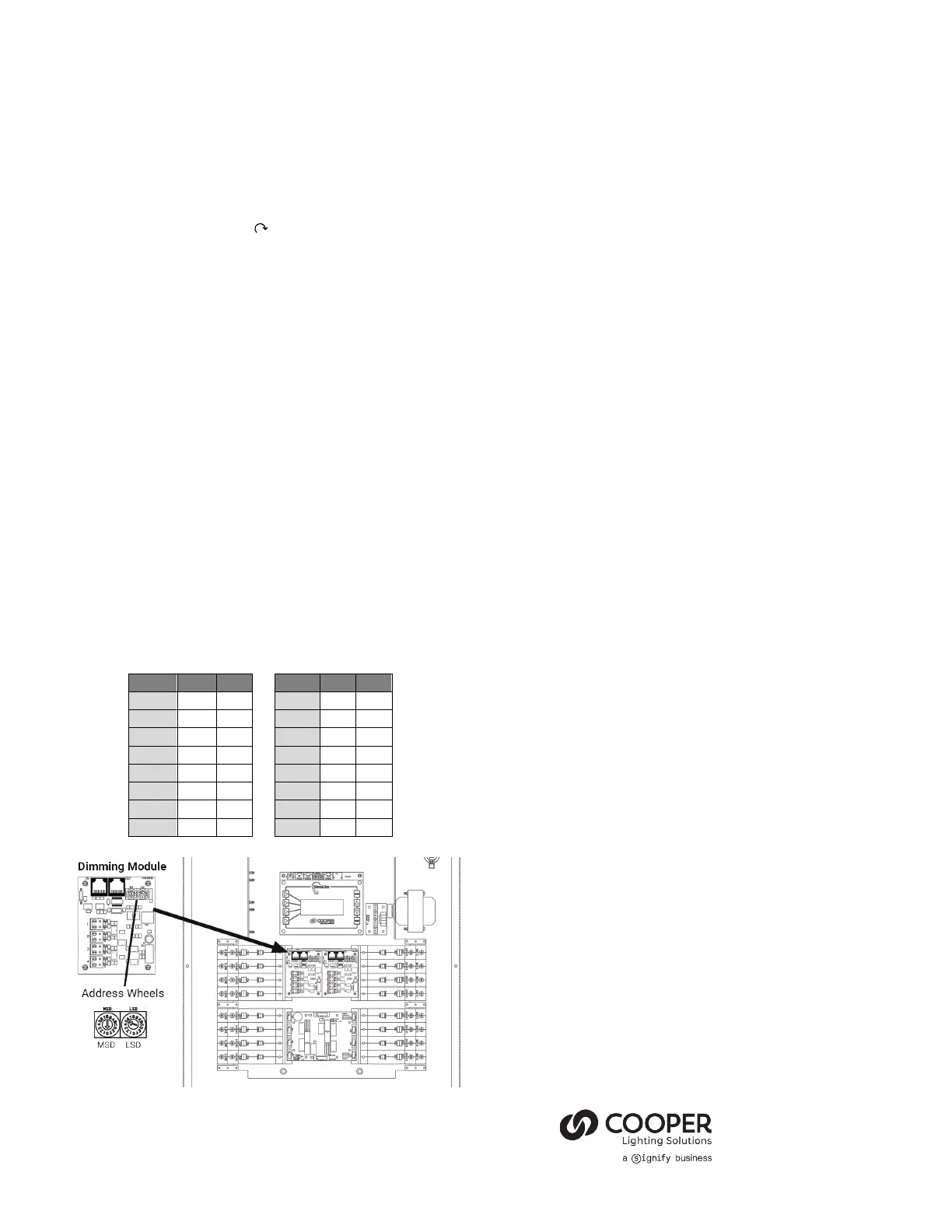
• Make sure that the Dimmer Module addresses are properly set.
Each Dimmer Module connected to the same panel should
have a unique address.
If the devices are not operating as expected:
• Verify that the relays and dimmers are showing online in the
WaveLinx Mobile App (green indicator next to device in the
zone or area).
• Verify that the relays and dimmers can be manually
commanded from the onboard display.
• Verify that the relays and dimmers can be manually
commanded from the WaveLinx Mobile App.
• Verify that the relays have not been placed in relay lock. Refer
to the WaveLinx User Guide and Programing Manual for details
on this feature.
• Verify the Area programming is correct.
For More Details
This document is designed to get you up and running with your
WaveLinx Networked Relay Panel and only covers the beginning
basics of configuring your system. For more details, see the
WaveLinx User Guide and Programming Manual.
© 2024 Cooper Lighting Solutions
All Rights Reserved
Printed in USA
Publication No. IB50389824
July 2024
Cooper Lighting Solutions is a
registered trademark.
All other trademarks are property
of their respective owners.
Product availability, specifications, and
compliances are subject to change


 To Previous Page
 Loading...


