

EasyManua.ls Logo

Copal PS30 - User Manual

Copal PS30
9 pages
Print Icon
To Next Page IconTo Next Page
Loading...
1
INSTRUCTION MANUALVer.2.1a
Nishi-ShinjukuKimurayaBldg.,7-5-25
Nishi-Shinjuku, Shinjuku-ku,Tokyo160-0023Japan Phone(03)3364-7055
Formoredetailedinformationpleaseaskforthenearest
distributororthefollowingsalescenter.
Thankyouforpurchasinga
NIDECCOPALELECTRONICSCORP.product.
Forproperandoptimaluseoftheproduct,pleaseread
thismanualthoroughlybeforeusing.
Keepthismanualforfuturereference.
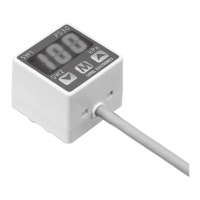
DISPLAYTYPEPRESSURESWITCH
PS30
ImportantInformationandWarnings
①Non-corrosivegasesshouldbeusedaspressuremediaforPS30.
②ThemaximumapplicablepressureforthePS30-102Ratthetimeofvacuumbreakis500kPa.
③Alwayscarryoutwiringworkwiththepoweroff.
④Forstability,usearegulateddirectcurrentpowersupply.
 Surgeabsorbingdevices(diodes,varistors,etc.)arenecessaryifinductiveloadssuchasrelaysandsolenoidsareconnectedtothesame
powerlineasthePS30. Donotwirein paralleltohighvoltagecables orpowerlines,oruse thesamecableductswhich containhigh
voltagecablesorpowerlines.
⑤Checkfluctuationsinpowervoltagesothatthepowerinputcannotexceedtherating.
⑥Becarefulnottoapplyforcetoanywiresduringhandling,orapplyforcetothedisplayareaofthemain
bodyduringpiping.
⑦UsepHneutraldetergentstocleanthebody.Donotuselacquerthinnerandothersolventsforcleaning.
⑧Donotusepointedobjectssuchaspenstopressthesettingbuttonsonthedisplaypanel.Doingsomay
damagethesettingbuttonsbypiercingthem.
⑨Do not put a piece of wire or other long thin object from pressure port. Doing so may damage the
internaldiaphragmtocausemalfunctioning.
⑩Donotusetheproductinaplacewheremuchsteamsand/ordustexistortheproductmaybesubjected
todirectwateroroilsplash.
[Recommendedmeasuresagainstnoiseinterference]
 Itisrecommendedtousenoiseabsorbingcomponents(linefilter,surgeabsorber,etc.)inthepowersupply
terminalofthePS30.
 marking
(CompliancewithEMCStandards
Surgeabsorbingcircuit
Question and Answer IconNeed help?

Do you have a question about the Copal PS30 and is the answer not in the manual?

Summary

Important Information and Warnings

Specifications

Output Electrical Diagram

Electrical diagrams illustrating NPN and PNP open collector output models.

Details of the front panel

Explanation of the front panel layout, buttons, LEDs, and display.

Error Messages

Functions

Non-display mode

Description of the automatic display turn-off feature to save power.

Conversion factor

Information on selecting and applying conversion factors for pressure readings.

Switch working mode

Explanation of different modes for switch outputs (Separate, Window Comparator).

Digital filter

Details on applying digital filters to reduce display fluctuations.

Operational Procedures

Operations Mode

The primary mode for normal operation and accessing other settings.

Initial Setting Mode

Mode for configuring non-display, magnification, and switch outputs.

Pressure Setting Mode

Setting pressure value

Steps to set the P1 (Setting 1) and P2 (Setting 2) pressure thresholds.

Hysteresis (H) setting

Configuration of hysteresis value to prevent rapid switching.

Digital filter setting

How to select and apply digital filters for stable readings.

Exiting Pressure Setting Mode

Steps to confirm and exit the pressure setting mode.

Zero Point Adjustment

Adjusting zero point

Step-by-step guide for performing the zero point adjustment.

Exiting zero point adjustment

Procedure for saving the zero point adjustment and returning to operation.

Piping and Installation

Back mounting screws

Instructions for securing the unit using back mounting screws.

Port Block (sold separately)

Details on installing the optional port block accessory.

Angled Brackets (Option)

Instructions for attaching optional angled brackets for mounting.

Panel Holder Set(Option)

Accessories (Sold separately)

Overview of optional accessories available for the PS30 unit.

Outline Dimensions(Unit: mm)

PS30

Dimensional information for the main PS30 pressure switch body.

Port Block(sold separately)

Dimensional information for the optional port block.

Angled Brackets(sold separately)

Panel holder set • Holder cover(sold separately)

Dimensions for the optional panel holder set and holder cover.
Warranty

Model Numbers

Copal PS30 Specifications

General IconGeneral
BrandCopal
ModelPS30
CategorySwitch
LanguageEnglish