2FT-1
1-4-55
U993
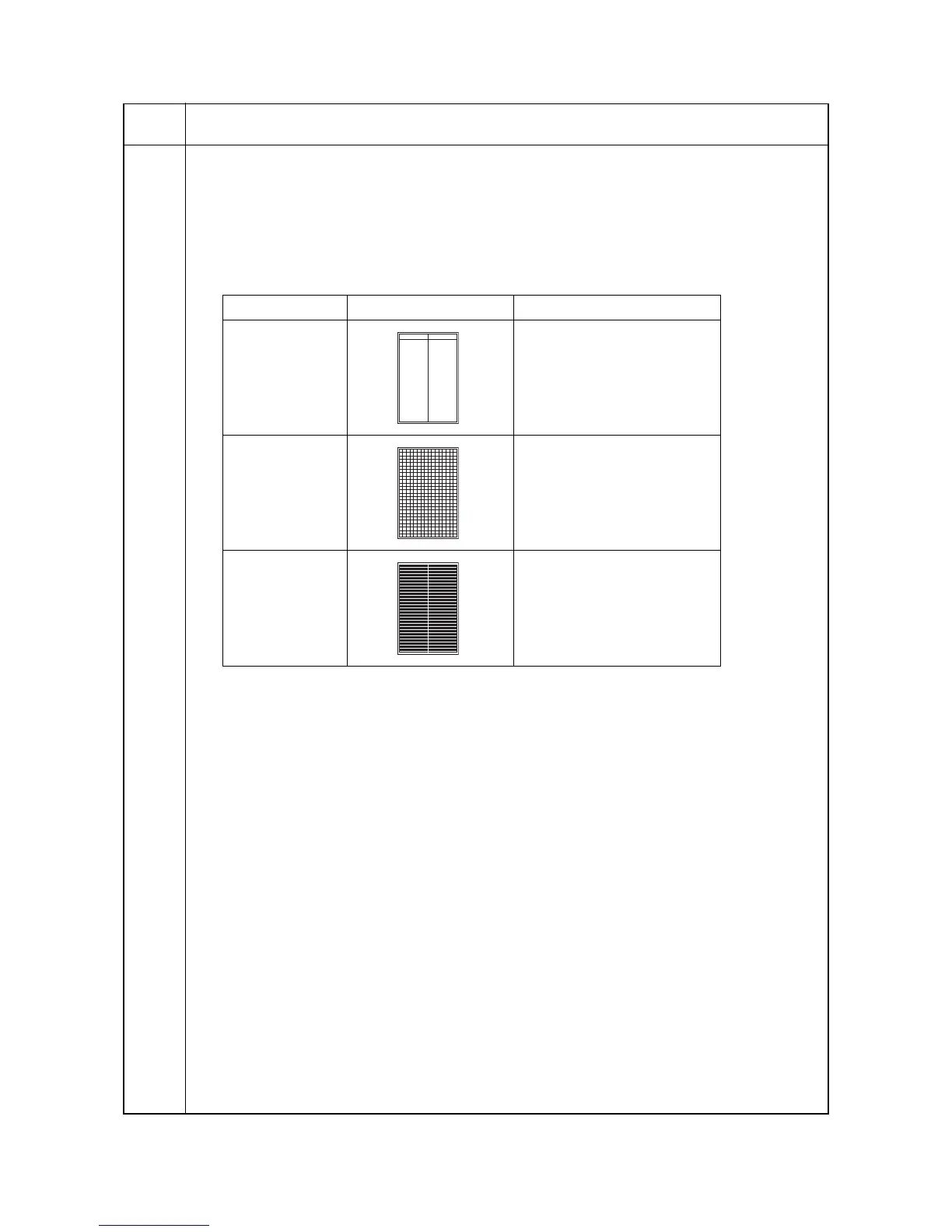
Outputting a VTC-PG pattern
Description
Selects and outputs a VTC-PG pattern created in the machine.
Purpose
When performing respective image printing adjustments, used to check the machine status apart from that of
the scanner with a non-scanned output VTC-PG pattern.
Method
1. Press the start key. The screen for selecting an item is displayed.
2. Select the VTC-PG pattern to be output using the up/down cursor keys.
3. Press the interrupt key. The copy mode screen is displayed.
4. Press the start key. A VTC-PG pattern is output.
Completion
Press the stop/clear key at the screen for selecting an item. The screen for selecting a maintenance item No.
is displayed.
Maintenance
item No.
Description
Display PG pattern to be output Purpose
PG1 Center line adjustment
PG2 Lateral squareness adjustment
Magnification adjustment
PG3 -
1-4-54-1


 To Next Page