2FT
1-6-14
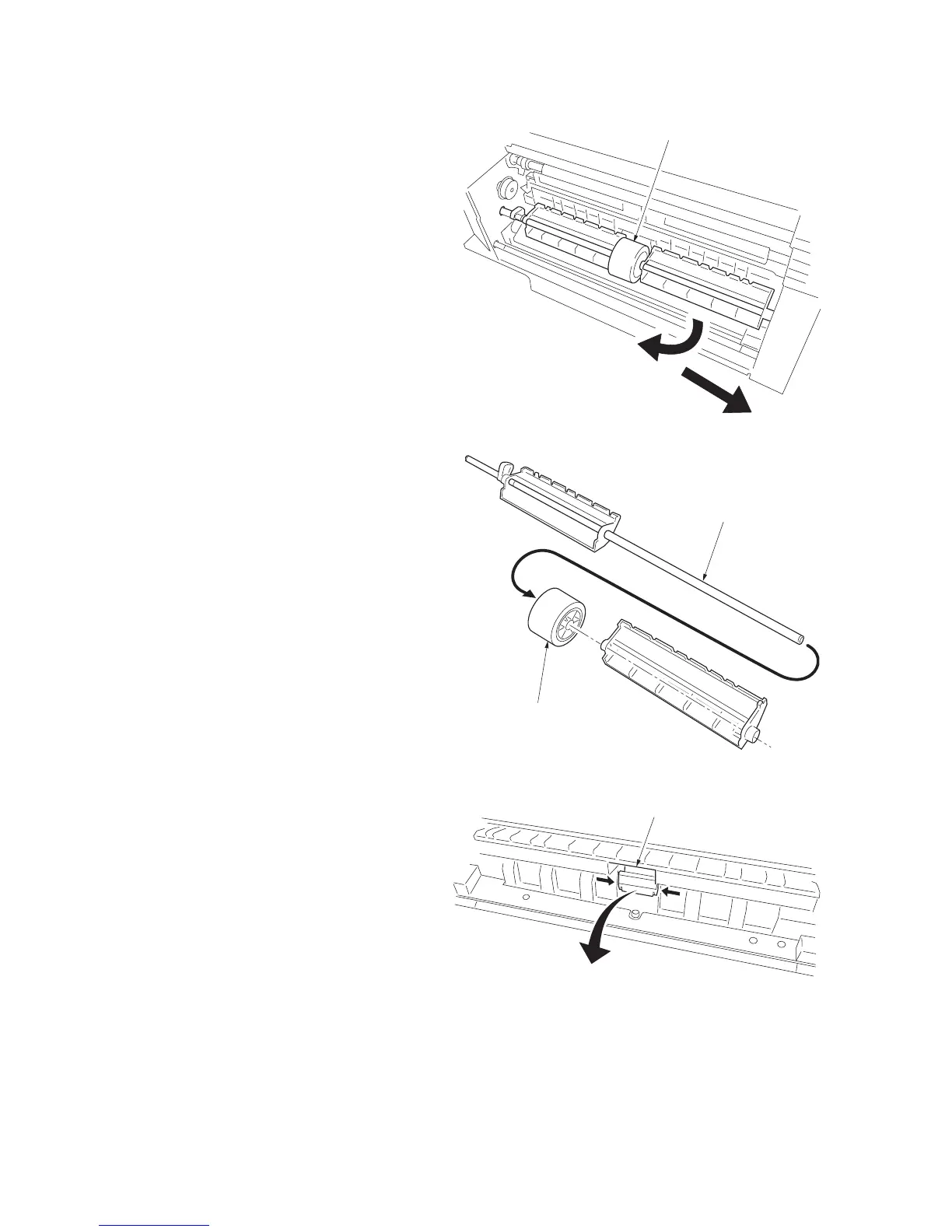
7. Temporarily push the bypass paper feed pul-
ley unit into the rear side to unlock the front
side and then remove it from the MFP.
Figure 1-6-25
8. Remove the bypass paper feed pulley from
the bypass paper feed pulley shaft.
Figure 1-6-26
9. Push the fitting portions of the bypass sepa-
ration pad. Remove the bypass separation
pad from the MFP.
10. Replace the bypass paper feed pulley and
bypass separation pad and refit all the
removed parts.
Figure 1-6-27
Bypass paper feed pulley unit
Bypass paper feed pulley
Bypass paper feed
pulley shaft
Bypass separation pad



 To Next Page