STANDARD RECOMMENDED PROCEDURE 003-722 | ISSUE 4 | OCTOBER 2015 | PAGE 7 OF 10
4.5 Managing Cable
4.5.1 Installing Preconnectorized Cable into Connector Panels
WARNING: Never look directly into the end of a ber that may be carrying laser light.
Laser light can be invisible and can damage your eyes. Viewing it directly does not cause pain.
The iris of the eye will not close involuntarily as when viewing a bright light. Consequently,
serious damage to the retina of the eye is possible. Should accidental eye exposure to laser
light be suspected, arrange for an eye examination immediately.
WARNING: DO NOT use magniers in the presence of laser radiation. Diffused laser light
can cause eye damage if focused with optical instruments. Should accidental eye exposure to
laser light be suspected, arrange for an eye examination immediately.
Step 1: Remove the blank panels from the unit and replace with connector panels
(purchased separately).
Step 2: Clean connectors and adapters as described in Section 5.
Step 3: Install connectors into the adapters at the rear of the connector panels.
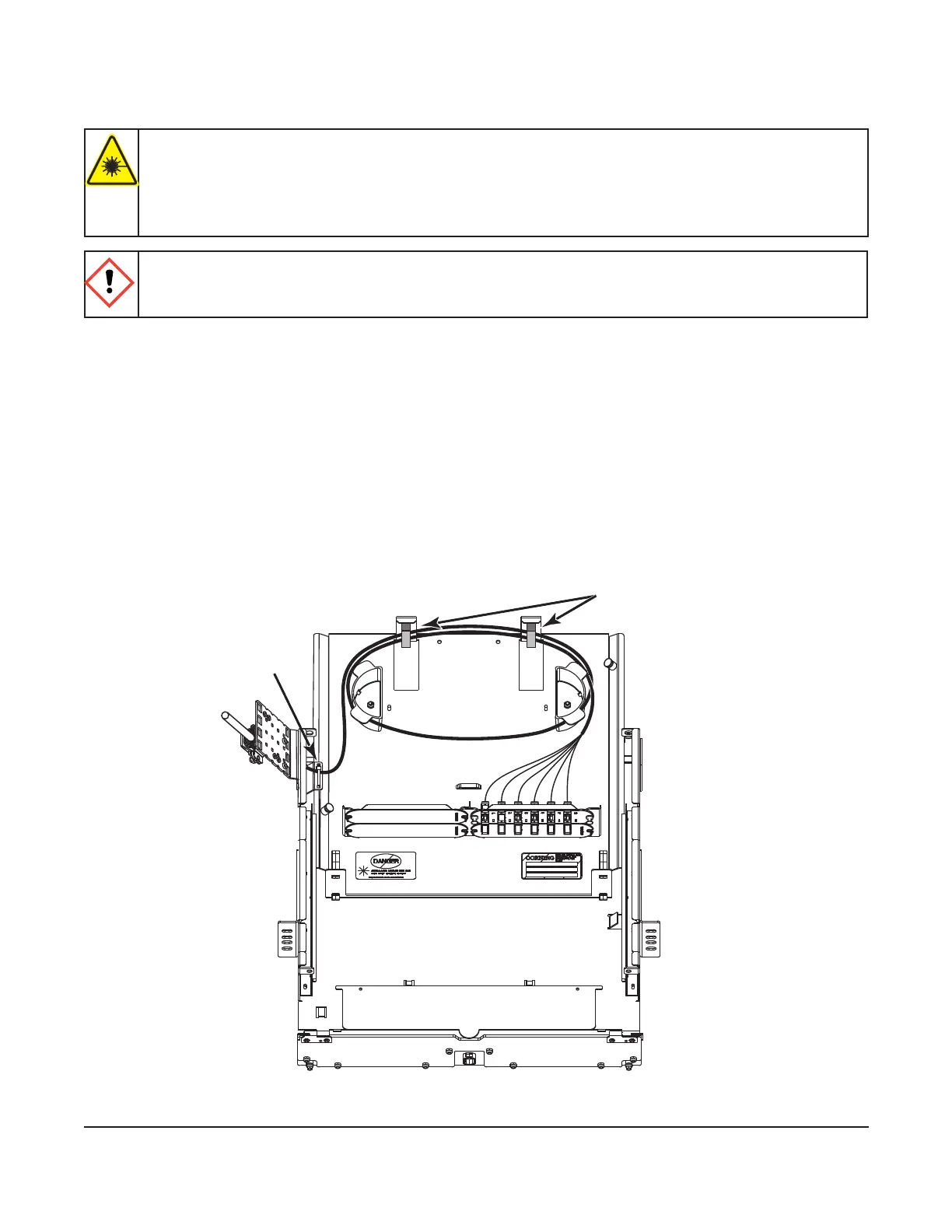
Step 4: Route cable slack around radius control guides (Figure 9).
Step 5: Cut the provided hook-and-loop strap into two pieces and feed the two straps into the
slots at the rear of the housing. Use the straps to secure bers as needed.
IMPORTANT: Lift the tray stop latches and slide the drawer backward and forward to verify that the
drawer slides in the grooves of the guides and that there is enough ber slack to prevent
violating the minimum ber bend radius of the cable.
Figure 9
KPA-0154
Cable tie
Hook-and-loop straps



 To Next Page