13
ver.071217-2.10
iLEARN System Manual
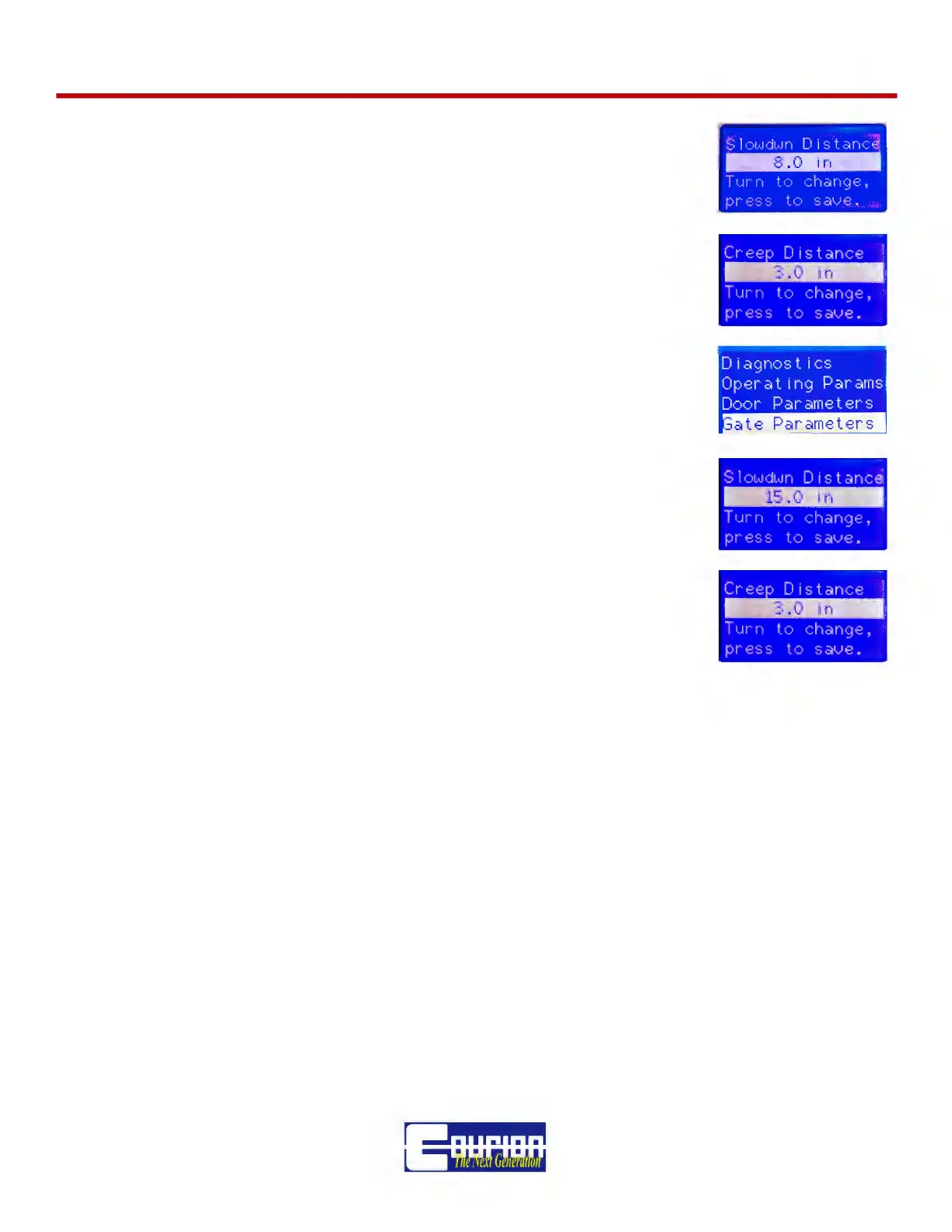
Scroll Down to Item 2.5 Slowdown Distance (Default = 8.0”) and adjust
to meet your site requirements. This is the distance away from FULL
OPEN and FULL CLOSE where the door speed will change from “Fast” to
“Slow”, as set by the iLEARN Control
Scroll Down to Item 2.6 Creep Distance (Default = 3.0”) and adjust to
meet your site requirements. This is the distance away from FULL OPEN
and FULL CLOSE where the door speed will change from “Slow” to
“Creep”, as set by the iLEARN Control.
To ADJUST the Car Gate Operation (if required), press the MENU/SE-
LECT Button and turn to GATE PARAMETERS.
Scroll Down to item 4.6 Car Gate Slowdown (Default = 15”). This is the
distance away from FULL OPEN and FULL CLOSE where the car gate
speed will change from “Fast” to “Slow”, as set by the Gate iDRIVE.G.
Scroll Down to Item 4.7 Creep Distance (Default = 3”). This is the dis-
tance away from FULL OPEN and FULL CLOSE where the car gate
speed will change from “Slow” to “Creep”
If your Hoistway Doors or Car Gate(s) do not operate properly during the initial operation, please
proceed to the TROUBLESHOOTING and ERROR MESSAGE Section at the back of this Manual.



 To Next Page