COWON D2+
11
Basic Operations
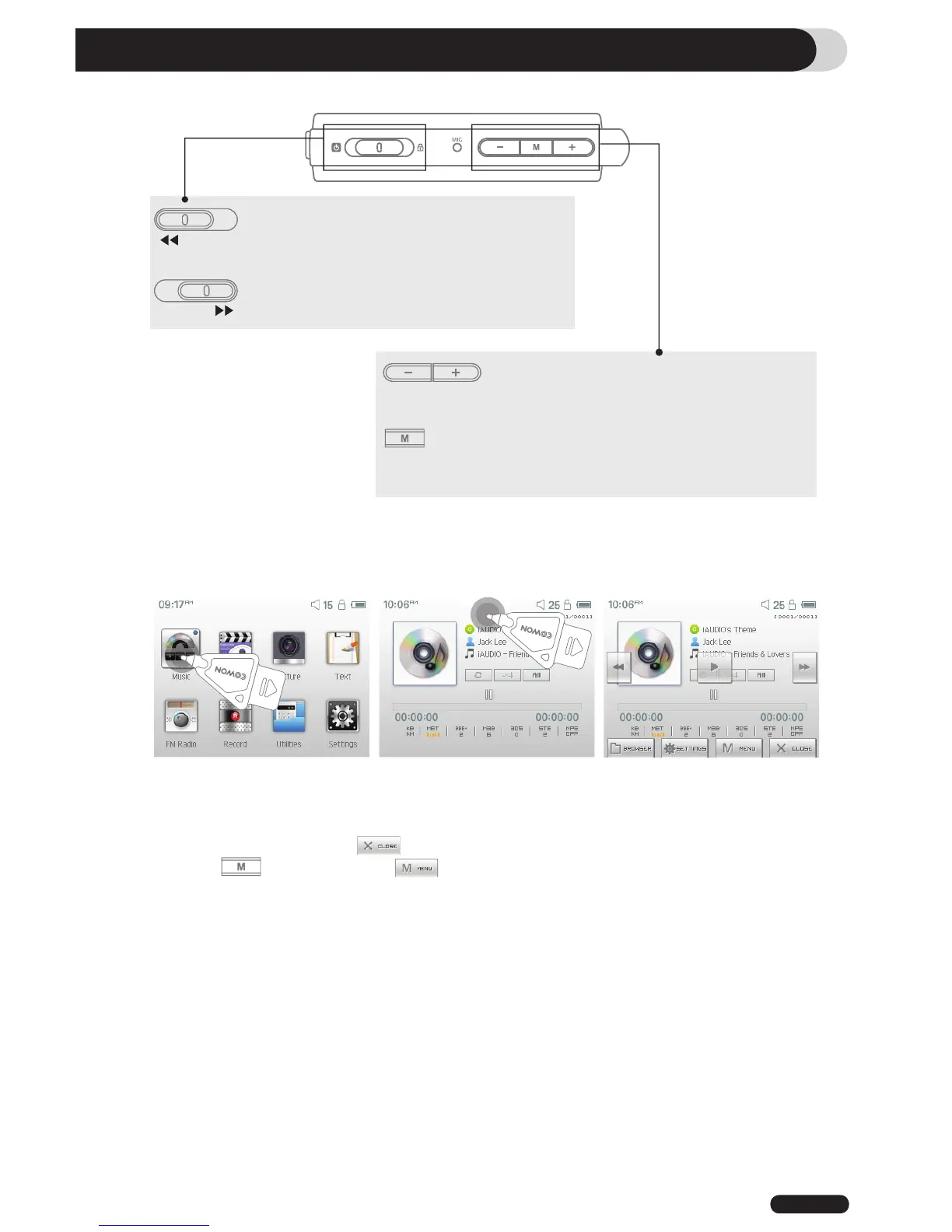
1. Button Control
It turns on and off the power
It turns on and off the LCD
It switches on ‘Hold’
It controls the Volume
It moves the cursor left or right on LCD
It indicates the selected mode on screen
It indicates the selected mode on screen even during
charging the unit with an AC adapter
2. Basic Control
COWON D2+ has a touchscreen feature and you can control it directly by touching the screen.
To select a desired operation mode, touch it from the mode selection window.
Under each operation mode, touching the screen lightly will trigger a control screen to appear.
After a pre-set period time or if is touched, the control screen disappears.
Pressing button or touching on screen returns it to the mode-selection screen.



 To Next Page