COWON D2+
9
Before Using COWON D2+
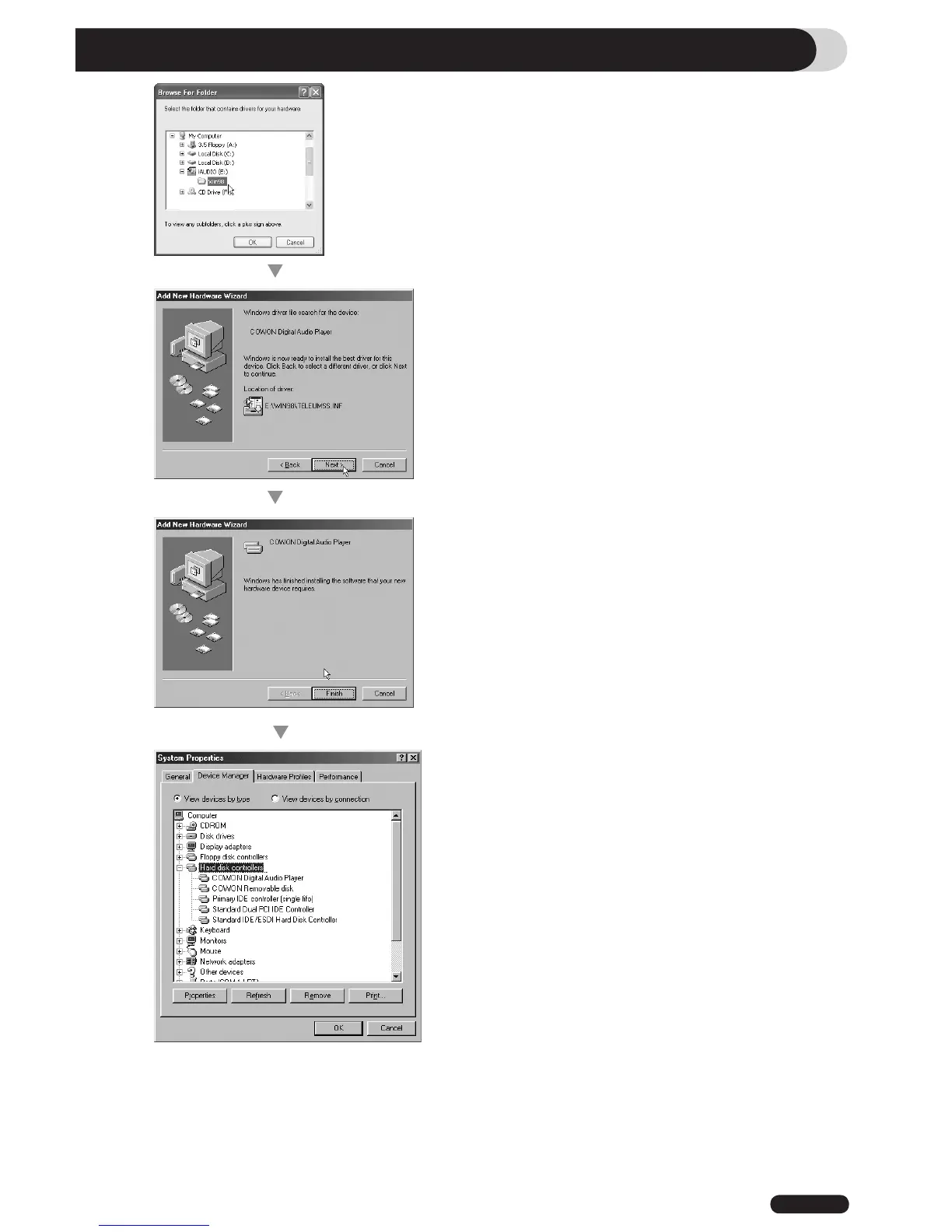
5. Select “Win98” folder in the installation CD and
then click “Next” button. Drivers are also available
for download from www.COWON.com.
6. Once the drivers are recognized, click “Next”.
7. Continue to click “Next”
8. Click the “Finish” button to complete the driver
installation. The newly added drive can be seen in
Device Manager or Explorer.



 To Next Page