Cartridge Replacement
1.1Locking pin
Slit
Pin
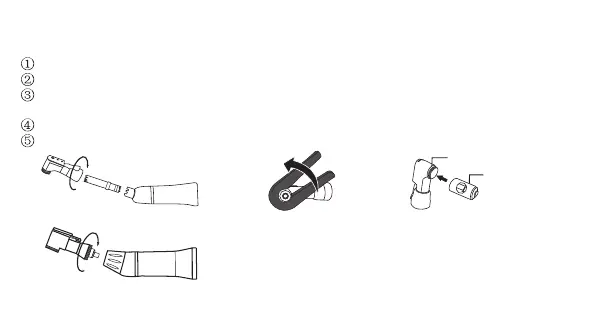
Fig.13.1 Fig.13.2 Fig.13.3
2 1
Loosen the curving lock section and remove the head from the sheath.
Pull out the drive gear assembly from the head.[Fig.13.1]
Please cap the wrench on the head'screw and turn counter-clockise.
Unscrew and separate the cover.[Fig.13.2]
Swing the new cartridge,with its pin aligned in the groove of the head.
Reassemble in the reverse order.
Fig.13.4



 To Next Page