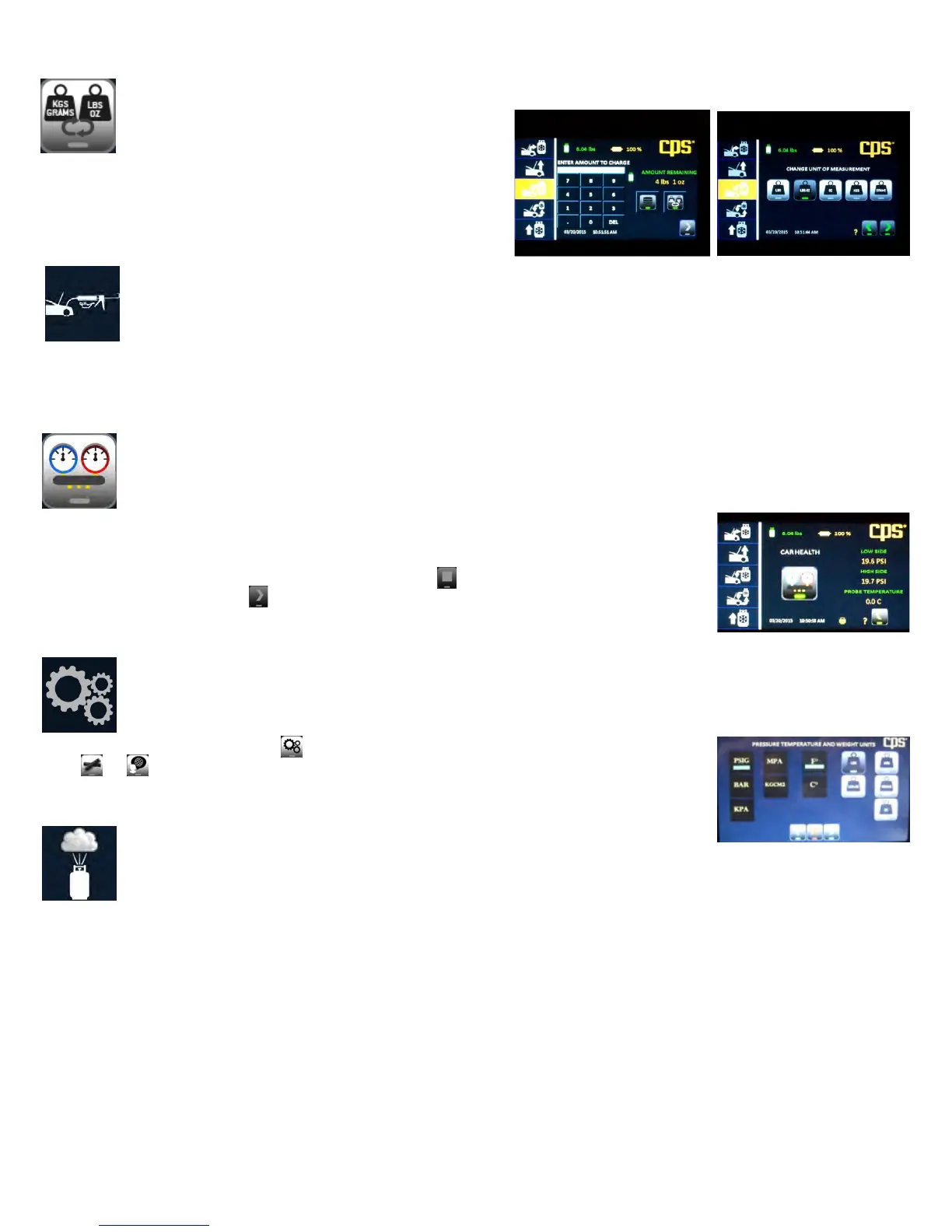
Change Units
This function will be displayed when setting the charge amount. It allows
you to change from the defaulted unit of measure to that on the J639 tag
on the vehicle. For instance, the machine default was set to lbs:oz and the
vehicle tag provides refrigerant capacity in grams. Use this feature to
change the unit of measure to grams for this charge only.
Add Oil
This icon appears the end of the charge operation and is a reminder to add back the amount of oil that was removed during recovery. If you
had entered the amount of oil after charging, that amount will also appear with the icon. If not, check the oil discharge bottle to determine the
change in volume since the last recovery. Add this amount back to the system by using an oil and/or dye injection accessory.
Car System Health Mode
This mode allows for checking of system pressures and vent temperature before and after servicing the AC
system. System parameters can be printed while in this mode to provide a before and after comparison.
When entering the Car Health mode, the machine will prompt you to start the AC system. You can then
collect and print readings. If you plan to recover next, press the button. You will be taken to the
Home screen. If all is well, press and the machine will guide you through clearing the hoses of
refrigerant back into the AC system.
Change Unit of Measure or Language
Press the maintenance icon and select . This will take you to a screen to allow you to select
either or .
Air Purge
The FX series features automatic air purge at unit start up. An air purge may also be selected in the maintenance mode. Air purges reduce
“non-condensable gases” in the storage tank to an acceptable level and may take a few minutes to complete. Do not turn the machine off or
unplug the unit during an Air Purge cycle.
Loading new Firmware
From time to time firmware updates will become available. Should you need to install updated firmware; files will be sent to you to place onto
a USB stick. Go to the “Set up” mode and select “Update.” After selecting, the machine will guide you through the process, including telling
you when to insert the USB stick into the USB port. When complete, the machine will reset. When the Home screen appears, it is complete.
Refrigerant ID
Pressing this icon enables the user to use the FX3030 as a refrigerant identifier.
OTHER FUNCTIONS


 To Next Page