7
SETTING THE tVOC SENSOR BASELINE (Approximately 24 Hours, 5 Minutes Required)
• User must set the tVOC sensor baseline PRIOR TO INITIAL USE.
• Follow instructions below or connect unit to CPS Link App for online guidance.
• Unit does NOT need to be connected to app during the initial 24 hrs. time period (Step 1- 2).
• Unit must be connected to CPS Link app to complete Step 3.
Step 1: (24 Hours Required) Select a secure location INDOORS,
plug unit into power source to turn ON and allow it to run for
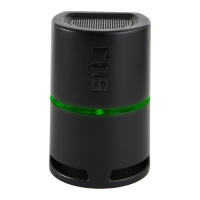
24 consecutive hours. Light bar will initially turn RED, then
alternate Green/Red during this time period.
Step 2: (5 Minutes Required) Relocate the unit to a secure, dry
location OUTDOORS with access to power (do not locate in
direct sunlight). It is OK to disconnect the unit from the INDOOR
power source while relocating it to the OUTDOOR location.
Power unit ON and wait for 5 mins.
SPECIFICATIONS
(CONT’D)
QUICK START INSTRUCTIONS
*Per World Health Organization; **Per Engineering Toolbox.
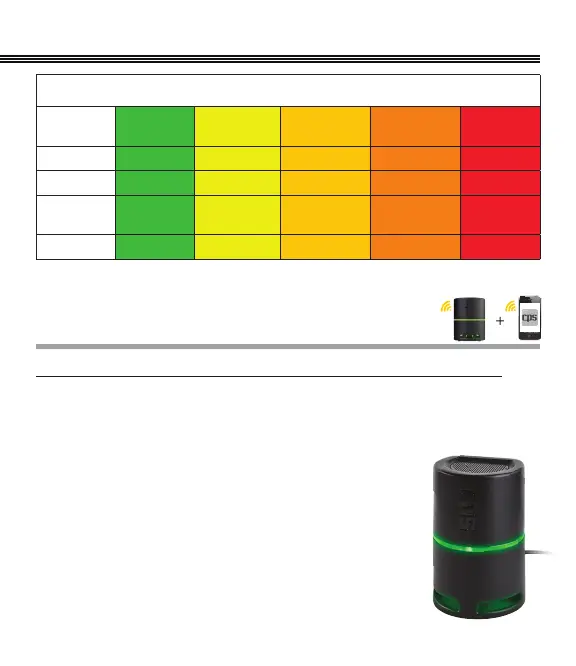
Color Range Values
Levels
GOOD
(Green)
SATISFACTORY
(Yellow)
MODERATE
(Dark Yellow)
POOR
(Orange)
SEVERE
(Red)
PM
2.5
(µg/m3) 0~30 µg/m3* 31~60 µg/m3* 61~90 µg/m3* 91~250 µg/m3* >250 µg/m3*
PM
10
(µg/m3) 0~50 µg/m3* 51~100 µg/m3* 101~250 µg/m3* 251~430 µg/m3* >430 µg/m3*
CO
2
(PPM) 0~599 ppm** 600~999 ppm**
1000~
2499 ppm**
2500~
4999 ppm**
>5000 ppm**
tVOC’s (PPB) 0~149 ppb 150~299 ppb 300~449 ppb 450~600 ppb >600 ppb


 To Next Page