STEP 9: Power up the router.
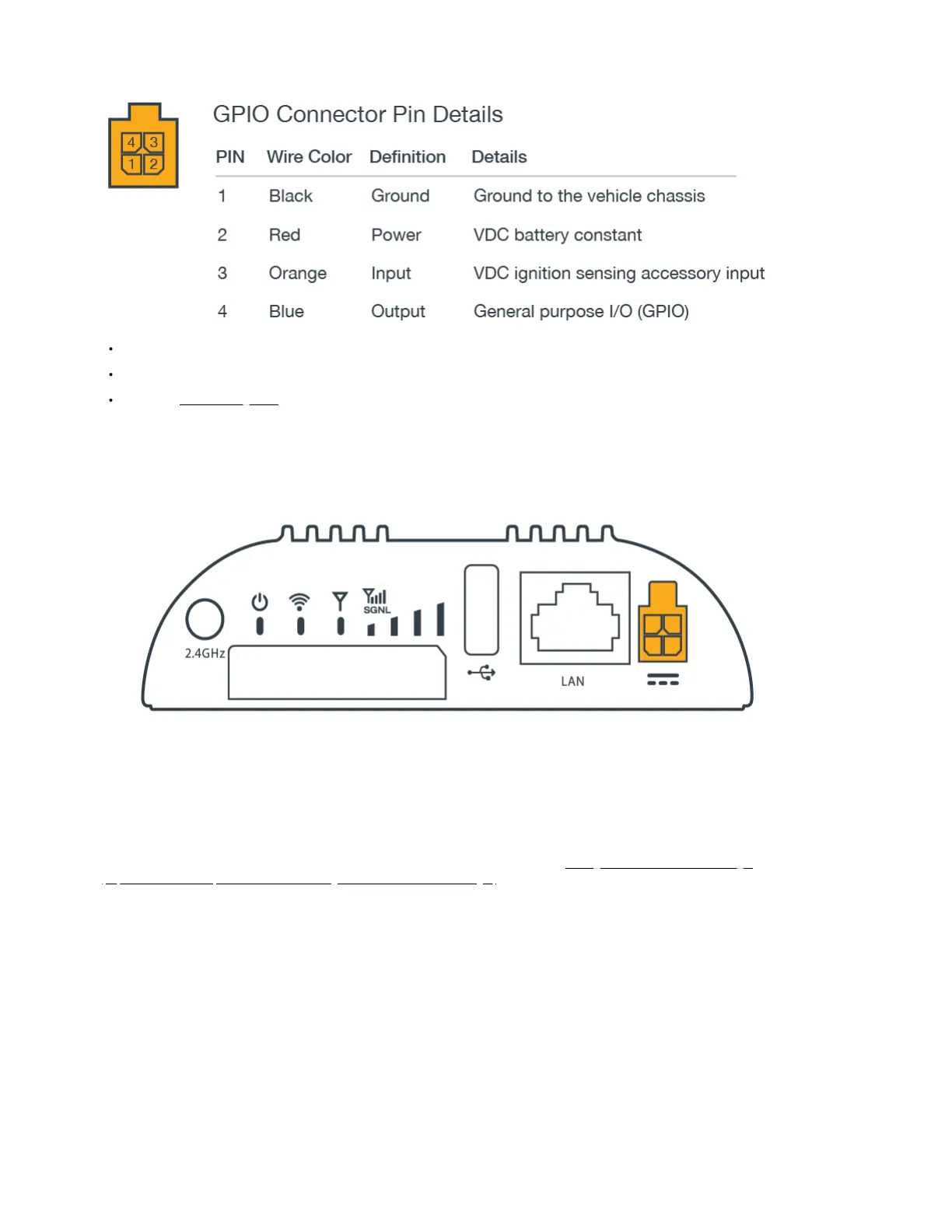
Insert the 4-pin end of the power source into the four-pin port on the router, ensuring appropriate alignment of pins as illustrated below.
Plug the adapter into an electrical socket.
Allow 1 minute for the router to run through its bootup sequence.
Refer to the Understanding LEDs section of this guide for more information about LED indicator status.
Step 10: Active the router in NetCloud Manager.
Activating your Cradlepoint router requires logging into your NetCloud Manager account. Refer to Getting Started with NetCloud Manager
(https://customer.cradlepoint.com/s/article/Getting-Started-with-NetCloud-Manager) for more information.















 To Next Page