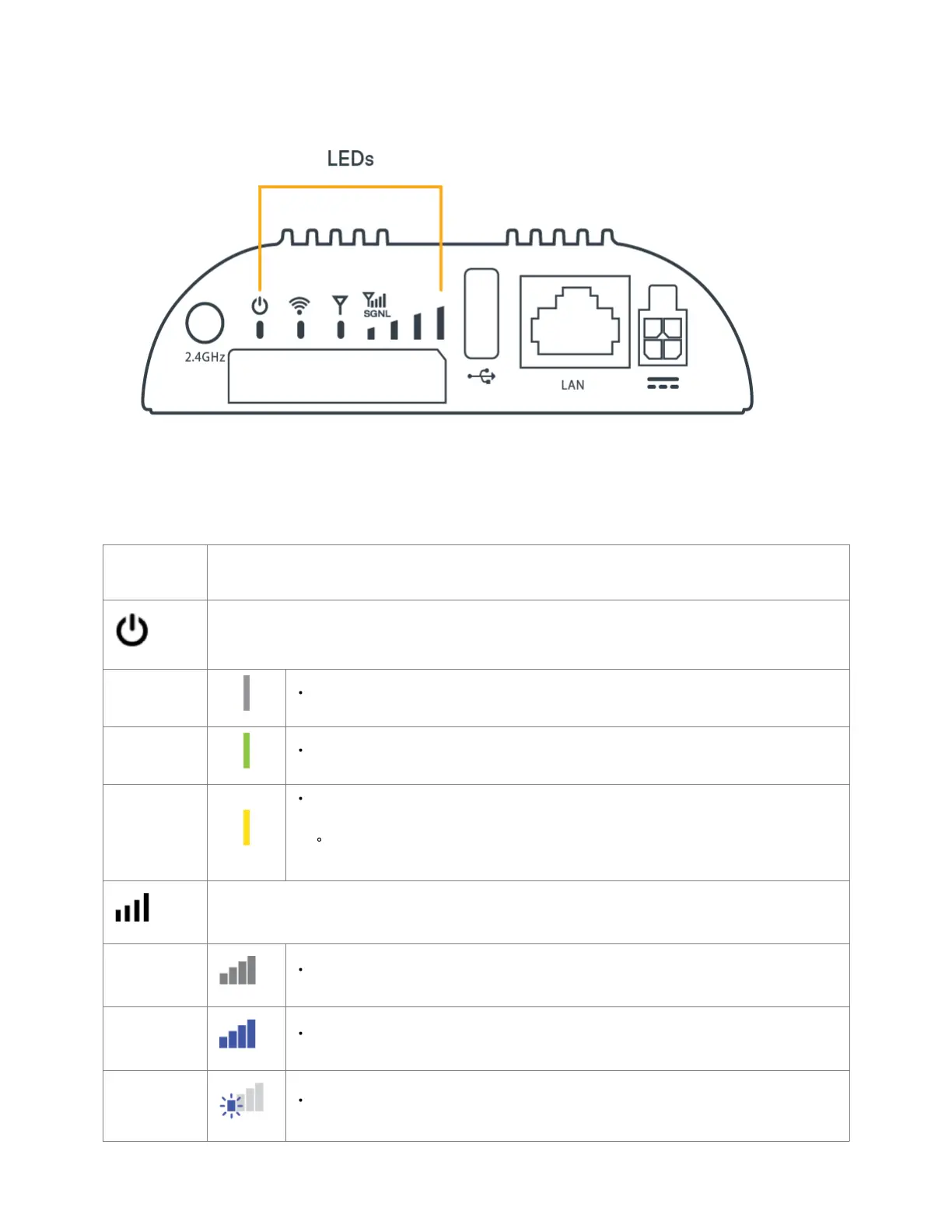
Understanding LEDs
The IBR200 router uses LED lights on the front panel to communicate various status conditions. Use the table below to verify the status of your router after
the 1-minute bootup cycle.
STATUS
INDICATOR
BEHAVIOR
POWER: The Cradlepoint IBR200 must be powered using an approved 12 VDC power source.
No Light = Not receiving power. Check the power switch and the power source connection
Green = Powered on
Yellow = Attention is needed. Log into NetCloud Manager and use the Remote Connect menu to access the
router's local UI to manage the alert.
Examples: NCOS is using default password, Wi-Fi is is using default PSK, endpoint is not registered in
NetCloud manager
SIGNAL STRENGTH: LED bars indicate the active modem’s signal strength
No Light = Modem is not operating.
4 Solid Bars = Strongest signal.
1 Blinking Bar = Weakest signal (a blinking bar indicates half of a bar).















 To Next Page