CRADLEPOINT MBR95 | USER MANUAL Firmware ver. 3.6.3
© 2011 CRADLEPOINT, INC. PLEASE VISIT HTTP://KNOWLEDGEBASE.CRADLEPOINT.COM/ FOR MORE HELP AND RESOURCES PAGE 16
3.3.2 You are Connected to the Router but Cannot Connect to the Internet
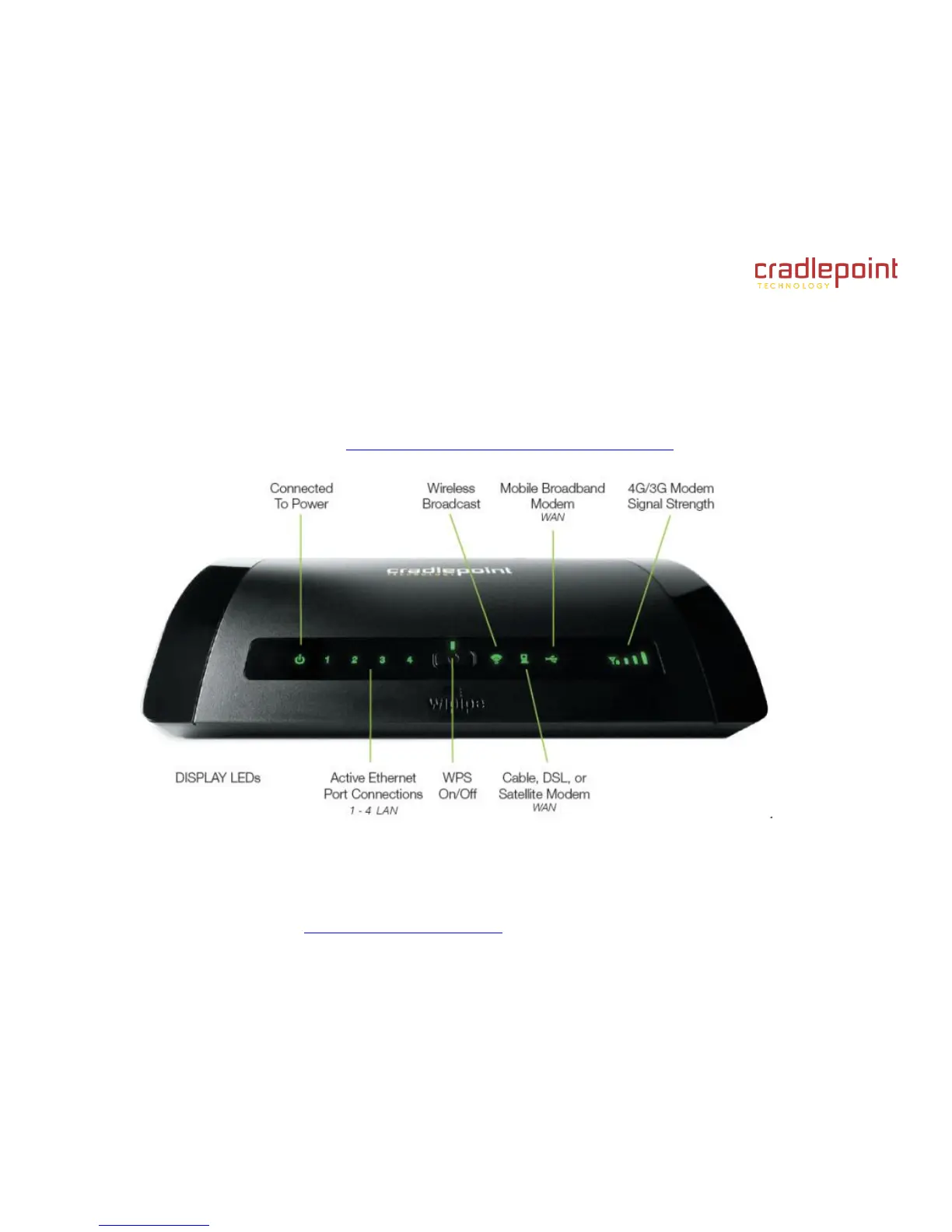
The status LEDs of your router will give you an indication whether or not a proper connection is being made. See the LED
STATUS definitions below:
If the USB data modem LEDs are not illuminated, your modem is not connected and online. You may need to update
firmware. Refer to the previous section, “Your USB Modem Does Not Work With The Router.”
If you are still not online after updating, call CradlePoint Technical Support for further assistance.















 To Next Page