CRADLEPOINT MBR95| USER MANUAL Firmware ver. 3.6.3
NETWORK SETTINGS → FIREWALL
© 2011 CRADLEPOINT, INC. PLEASE VISIT HTTP://KNOWLEDGEBASE.CRADLEPOINT.COM/ FOR MORE HELP AND RESOURCES PAGE 59
6.4 Firewall (Advanced Mode only)
The router automatically provides a firewall. Unless you configure the router to the contrary, the router does not respond
to unsolicited incoming requests on any port, thereby making your LAN invisible to cyber attackers.
However, some network applications, such as some Internet gaming systems, cannot run with a tight firewall. Those
applications need to selectively open ports in the firewall to function correctly. The options on this page control ways of
opening the firewall to address the needs of specific types of applications.
6.4.1 Port Forwarding Rules
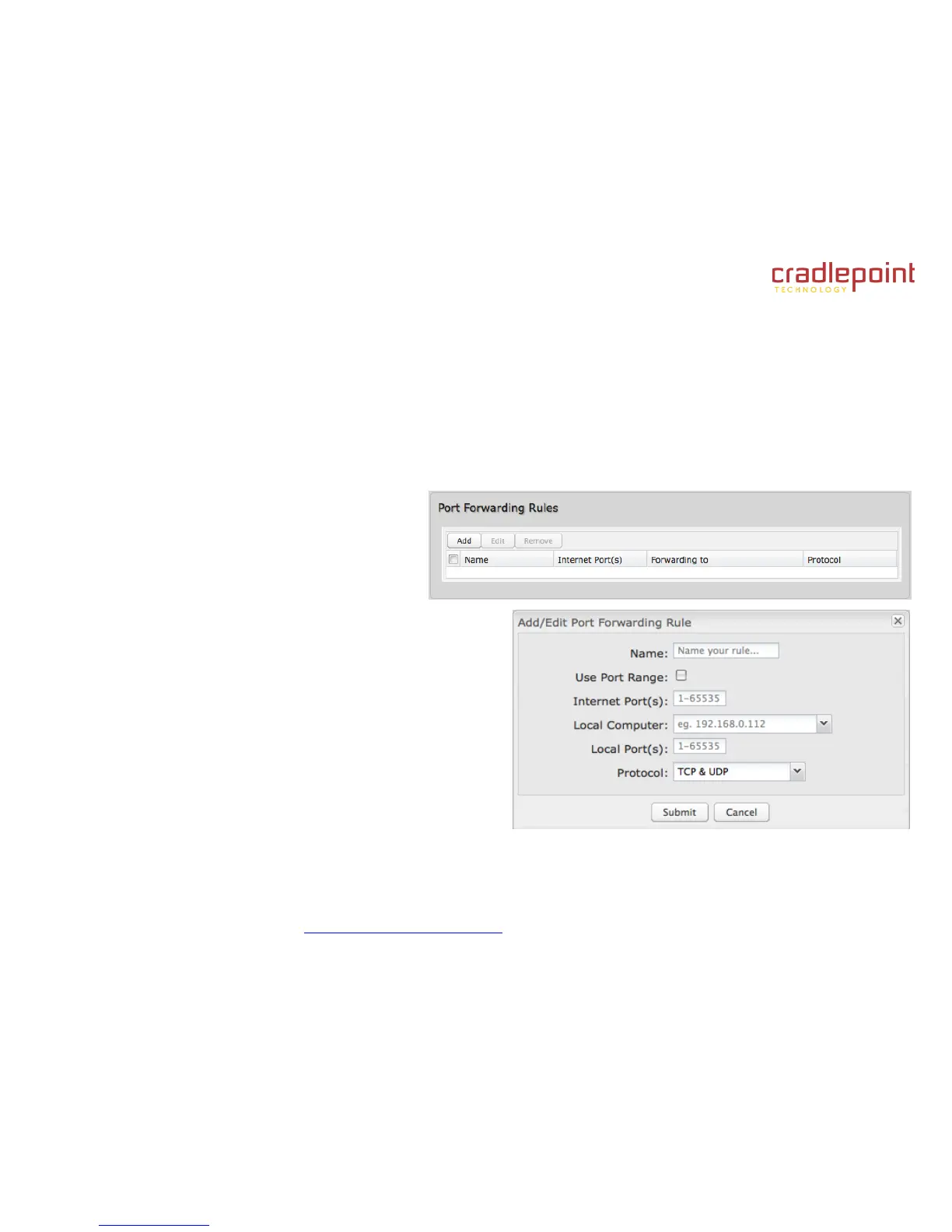
A port forwarding rule allows traffic from the Internet
to reach a computer on the inside of your network.
For example, a port forwarding rule might be used
to run a Web server.
Exercise caution when adding new rules as they impact the
security of your network.
Click Add to create a new port forwarding rule, or select an
existing rule and click Edit.
Add/Edit Port Forwarding Rule
Name: Name your rule.
Use Port Range: Changes the selection options to allow
you to input a range of ports (if desired).
Internet Port(s): The port number(s) as you want it
defined on the Internet. Typically these will be the same
as the local port numbers, but they do not have to be.
These numbers will be mapped to the local port numbers.
Local Computer: Select the IP address of an attached device from the dropdown menu, or manually input the IP
address of a device.















 To Next Page