CRADLEPOINT MBR95| USER MANUAL Firmware ver. 3.6.3
NETWORK SETTINGS → WIFI / LOCAL NETWORKS
© 2011 CRADLEPOINT, INC. PLEASE VISIT HTTP://KNOWLEDGEBASE.CRADLEPOINT.COM/ FOR MORE HELP AND RESOURCES PAGE 69
NAT (default): Network Address Translation hides private IP addresses behind the router's IP address. This is the
simplest and most common choice for users, because NAT does the translation work for you.
Standard: NAT-less routing. If you select Standard, you must separately configure your IP addresses so that they
will be publically accessible. Typically you will not select this option unless you have a specific reason to bypass
NAT.
Disabled: Disable this network.
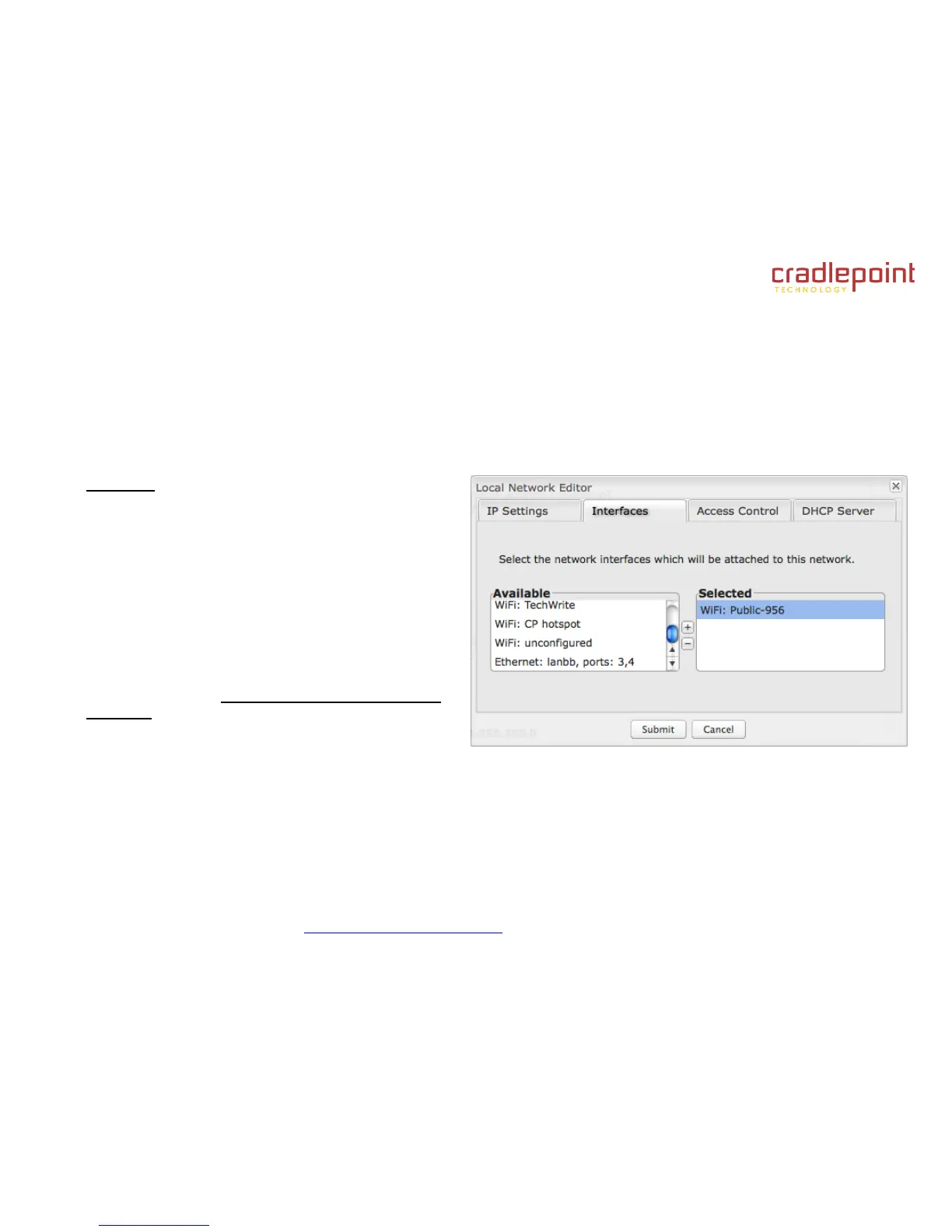
Interfaces:
Select network interfaces to attach to this network.
Choose from WiFi and Ethernet port interfaces. Double-
click on any of the interfaces shown on the left in the
Available section to move them to the Selected section
on the right (or highlight an interface and click the +
button). To deselect an interface, double-click on an
interface in the Selected section (or highlight the interface
and click the – button).
If you want more interface options, you must configure
additional WiFi or Ethernet interfaces separately. See the
Local Network Interfaces section below (on this same
administration page: Network Settings → WiFi / Local
Networks).















 To Next Page