CRADLEPOINT MBR95 | USER MANUAL Firmware ver. 3.6.3
INTERNET → CONNECTION MANAGER
© 2011 CRADLEPOINT, INC. PLEASE VISIT HTTP://KNOWLEDGEBASE.CRADLEPOINT.COM/ FOR MORE HELP AND RESOURCES PAGE 88
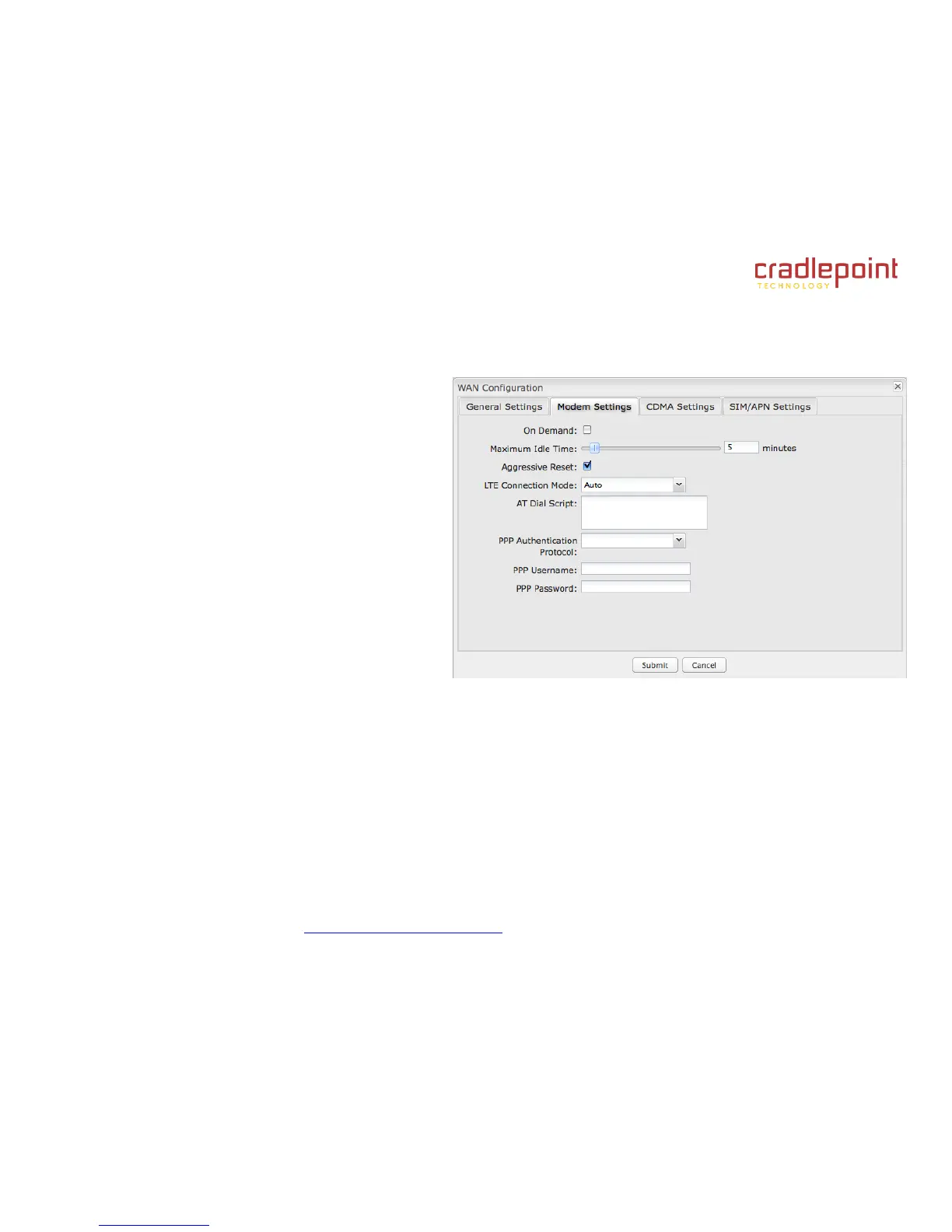
7.1.5 Modem Settings
On Demand: Typically modem connections are not
always on. When this mode is selected a connection to
the Internet is made as needed. When this mode is not
selected a connection to the Internet is always
maintained.
Maximum Idle Time: The interval for which the
modem can be idle before it is disconnected.
Aggressive Reset: When Aggressive Reset is
enabled the system will attempt to maintain a good
modem connection. If the Internet has been
unreachable for a period of time a reset of the modem
will occur in attempt to re-establish the connection.
LTE Connection Mode: Specify how the LTE Multi
Mode modem should connect to the network.
Auto: Let the modem decide which network to
use.
Auto EVDO/1xRTT: Connect to CDMA, letting the modem decide which 3G network to use. Do not attempt to
connect to LTE.
Force LTE: Connect to LTE only (do not attempt to connect to CDMA/GSM).
Force EVDO: Connect to CDMA EVDO network only.
Force 1xRTT: Connect to CDMA 1xRTT network only.
AT Dial Script: Enter the AT commands to be used in establishing a network connection. Each command must be
entered on a separate line. All command responses must include “OK” except the final command response, which must
include “CONNECT”.
Example:
AT















 To Next Page