CRADLEPOINT MBR95 | USER MANUAL Firmware ver. 3.6.3
INTERNET → CONNECTION MANAGER
© 2011 CRADLEPOINT, INC. PLEASE VISIT HTTP://KNOWLEDGEBASE.CRADLEPOINT.COM/ FOR MORE HELP AND RESOURCES PAGE 95
WAN Configuration Rule
This section allows you to create simple or complex rules
that affect how individual Internet sources or classes of
sources (perhaps all WiMAX modems or all modems from
Sierra Wireless) behave in the router.
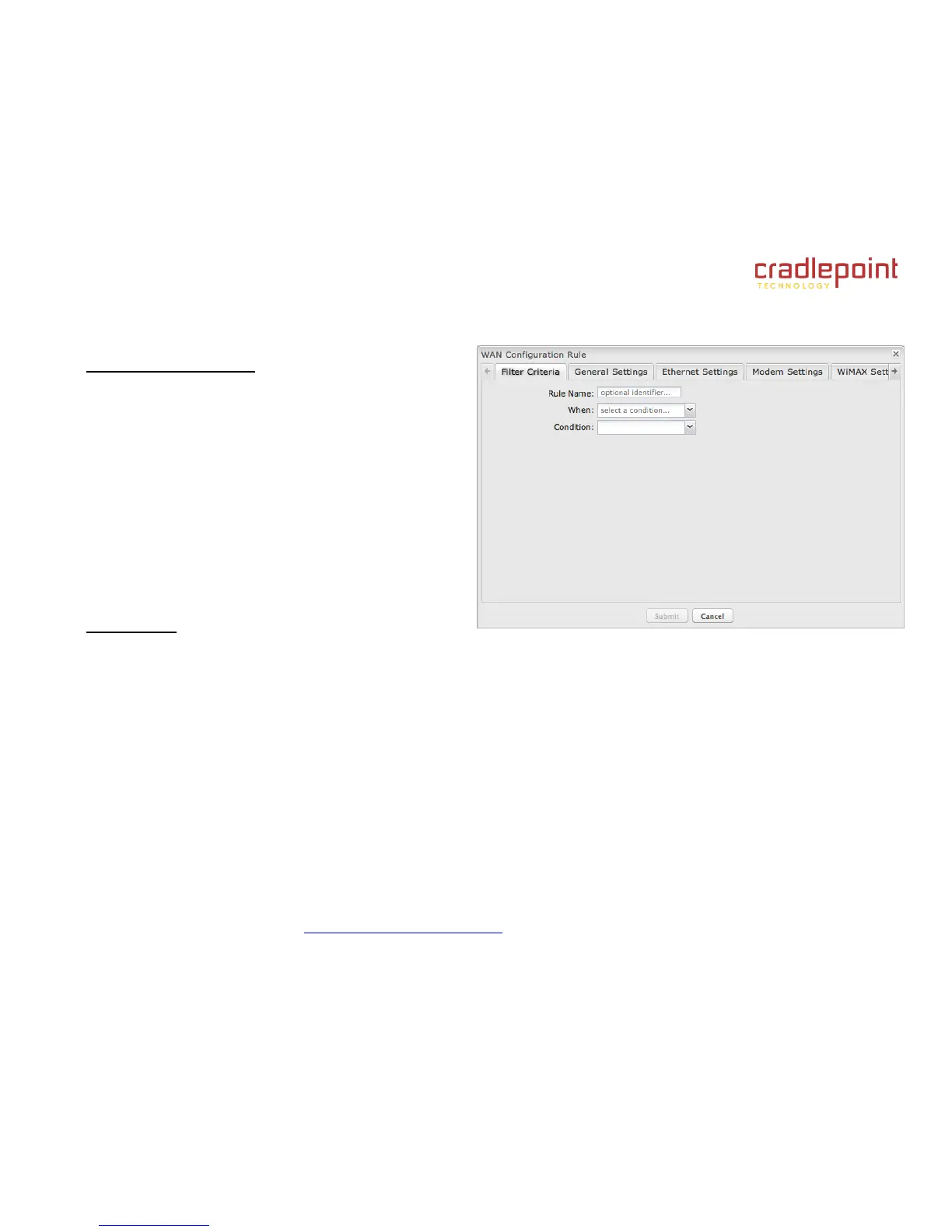
After clicking “Add” or “Edit,” you will see a popup with the
following tabs:
Filter Criteria
General Settings
Ethernet Settings
Modem Settings
WiMAX Settings
CDMA Settings
SIM/APN Settings
Filter Criteria. Begin by setting the Filter Criteria if you
are creating a new rule. Create a name for your rule and the condition for which the rule applies:
Rule Name: Create a name meaningful to you. This name is optional.
Select each of the following to create a condition for your rule. When:
Port: Select by the port that you are plugging the modem into.
Manufacturer: Select by the manufacturer, such as Sierra Wireless.
Model: Set your rule according to the specific model of modem.
Type (Ethernet, LTE, Modem, WiMAX, Wireless as WAN, HSPA): Select by type of Internet source.
Serial Number: Select 3G or LTE modem by Serial Number.
MAC Address: Select WiMAX modem by MAC Address.
Unique ID: Select by ID. This is generated by the router and displayed when the device is connected to the
router.
Condition: Select “is” or “is not” to create your condition’s statement.















 To Next Page