EasyManua.ls Logo

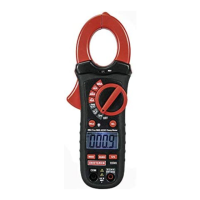
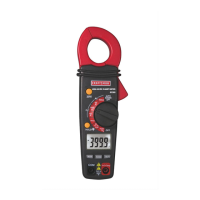
Craftsman 19741 - Controls, Jacks, and Indicators; Meter Controls and Function Dial; Input Jacks and Connection Ports

Craftsman 19741
10 pages
Print Icon
To Next Page IconTo Next Page
To Previous Page IconTo Previous Page
Loading...
UL
LISTED
The
UL
mark
does
not
indicate
that
this
product
has
been
evaluated
for
the
accuracy
of
its
readings
PER
IEC1010
OVERVOLTAGE
INSTALLATION
CATEGORY
OVERVOLTAGE
CATEGORY
!
Equipment
of
OVERVOLTAGE CATEGORY
|
is
equipment
for
connection
to
circuits
in
which
measures
are
taken
to
limit
the
transient
overvoltages
to
an
appropriate
low
level.
Note
Examples
include
protected
electronic
circuits.
OVERVOLTAGE
CATEGORY
II
Equipment
of
OVERVOLTAGE
CATEGORY
II
is
energy-
consuming
equipment
to
be
supplied
from
the
fixed
installation.
Note
Examples
include
household,
office,
and
laboratory
appliances.
OVERVOLTAGE
CATEGORY
III
Equipment
of
OVERVOLTAGE
CATEGORY
III
is
equipment
in
fixed
installations.
Note
Examples
include
switches
in
the
fixed
installation
and
some
equipment
for
industrial
use
with
permanent
connection
to
the
fixed
installation.
OVERVOLTAGE
CATEGORY
IV
Equipment
of
OVERVOLTAGE
CATEGORY
IV
is
for
use
at
the
origin
of
the
installation.
Note
Examples
include
electricity
meters
and
primary
over-
current
protection
equipment
10
OPERATING
INSTRUCTIONS
Notice:
Read
and
understand
all
WARNING
and
CAUTION
statements
listed
in
the
safety
section
of
this
operation
manual
prior
to
using
this
meter.
Set
the
function
select
switch
to
the
OFF
position
when
the
meter
is
not
in
use.
NOTES:
1.
ALWAYS
turn
the
rotary
function
switch
to
the
OFF
position
when
the
meter
is
not
in
use
2.
If
“OL”
appears
in
the
display
during
a
measurement,
the
value
exceeds
the
range
you
have
selected.
Change
to
a
higher
range
DC/AC
CURRENT
MEASUREMENTS
WARNING:
Disconnect
the
test
leads
from
the
meter
before
making
current
clamp
measurements.
1.
Set
the
Function
switch
to
the
400ADC,
40ADC,
400AAC
or
40AAC
range.
If
the
range
of
the
measured
current
is
not
known,
select
the
higher
range
first
then
move
to
the
lower
range
if
necessary.
2.
For
DC
current
measurement,
press
the
ZERO
key
to
null
the
meter
display.
3.
Press
the
trigger
to
open
jaw.
Fully
enclose
one
conductor
to
be
measured.
Note:
Do
not
put
more
than
one
wire
inside
the
current
clamp.
The
clamp
meter
LCD
will
display
the
reading.
=
11

Related product manuals