EasyManua.ls Logo

Craftsman 19741 - Technical Specifications Overview; Current Measurement Specifications; Voltage Measurement Specifications; Resistance and Capacitance Specs

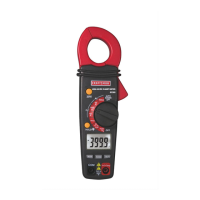
Craftsman 19741
10 pages
Print Icon
To Next Page IconTo Next Page
To Previous Page IconTo Previous Page
Loading...
DC/AC
VOLTAGE
MEASUREMENTS
WARNING:
Risk
of
Electrocution.
The
probe
tips
may
not
be
long
enough
to
contact
the
live
parts
inside
some
240VAC
outlets
for
appliances
because
the
contacts
are
recessed
deep
in
the
outlets.
As
a
result,
the
reading
may
show
0
volts
when
the
outlet
actually
has
voltage
on
it.
Make
sure
the
probe
tips
are
touching
the
metal
contacts
inside
the
outlet
before
assuming
that
no
voltage
is
present.
CAUTION:
Do
not
measure
DC
or
AC
voltages
if
a
motor
on
the
circuit
is
being
switched
ON
or
OFF.
Large
voltage
surges
may
occur
that
can
damage
the
meter.
1.
Set
the
rotary
function
switch
to
the
Volts/Hz/%
position.
2.
Insert
the
black
test
lead
banana
plug
into
the
negative
(COM)
jack
and
the red
test
lead
banana
plug
into
the
positive
(V/Q/Temp)
jack
Select
AC
or
DC
with
the
MODE
button
Connect
the
test
leads
to
the
circuit
under
test
5.
Read
the
voltage
on
the
display.
The
display
will
indicate
the
proper
decimal
point
and
value.
a
Non-Contact
Voltage
Detection
(NCV)
-
“This
model
has
a
built
in
NCV
tester.
To
operate,
switch
dial
to
V-AC
and
hold
the
top
section
of
the
clamp
to
the
area
where
you
would
like
to
detect
voltage.
If
voltage
is
present,
the
light
indicator
at
the
top
of
the
Clamp
meter
housing
will
light.
WARNING:
Be
sure
to
test
the
NCV
Detector
on
a
known
source
of
AC
voltage
before
testing.
Also,
when
testing,
if
the
NCV
light
indicator
does
not
light,
this
does
not
mean
that
Voltage
is
not
present.
Bb
cautious
and
re-confirm
with
the
test
leads
to
measure
voltage.
12
RESISTANCE
MEASUREMENTS
WARNING:
To
avoid
electric
shock,
disconnect
all
power
to
the
unit
under
test,
remove
the
batteries,
unplug
the
line
cords
and
discharge
all
capacitors
before
taking
any
resistance
measurements.
le
2.
4.
Set
the
function
switch
to
the
Q
+
°)))
CAP
position.
Insert
the
black
test
lead
banana
plug
into
the
negative
(COM)
jack
and
the red
test
lead
banana
plug
into
the
positive
(V/Q/Temp)
jack
Touch
the
test
probe
tips
across
the
circuit
or
part
under
test.
It
is
best
to
disconnect
one
side
of
the
part
under
test
so
the
rest
of
the
circuit
will
not
interfere
with
the
resistance
reading
Read
the
resistance
in
the
display
CONTINUITY
CHECK
WARNING:
To
avoid
electric
shock,
never
measure
continuity
on
circuits
or
wires
that
have
voltage
on
them.
—_
Set
the
function
switch
to
the
Q
Pt
*)))
CAP
position.
Push
the
mode
button
to
indicate
¢)))
on
the
display.
Insert
the
black
lead
banana
plug
into
the
negative
(COM)
jack
Insert
the red
test
lead
banana
plug
into
the
positive
(VQ)
jack.
Touch
the
test
probe
tips
to
the
circuit
or
wire
you
wish
to
check.
If
the
resistance
is
less
than
approximately
150Q,
the
audible
signal
will
sound.
If
the
circuit
is
open,
the
display
will
indicate
Olea
13

Related product manuals