8
PUSH
OPEN
CR2025
PUSH
OPEN
Lithium Cell
CR2025
3V
SC UL
Lithium Cell
CR2025
3V
SC UL
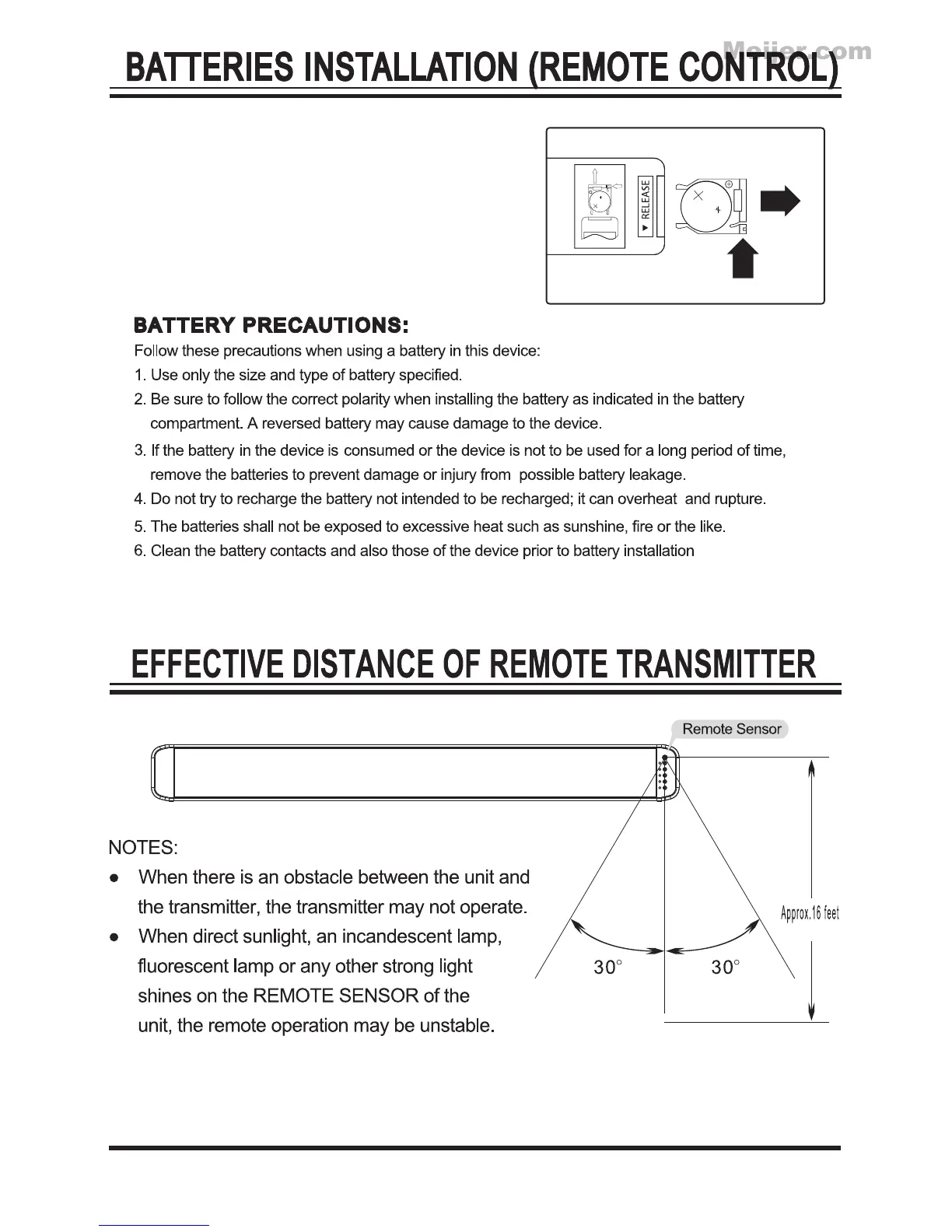
1. Push the tab, then slide out the battery tray as the
figure on the right.
2. Replace the old button cell by a new CR 2025
button cell as the polarity markings on the remote
control.
3. Close the battery tray.
To replace the button cell:
7.
Do not mix different types of batteries together (e.g. Alkaline and Carbon-zinc) or old
batteries with fresh ones.



 To Next Page