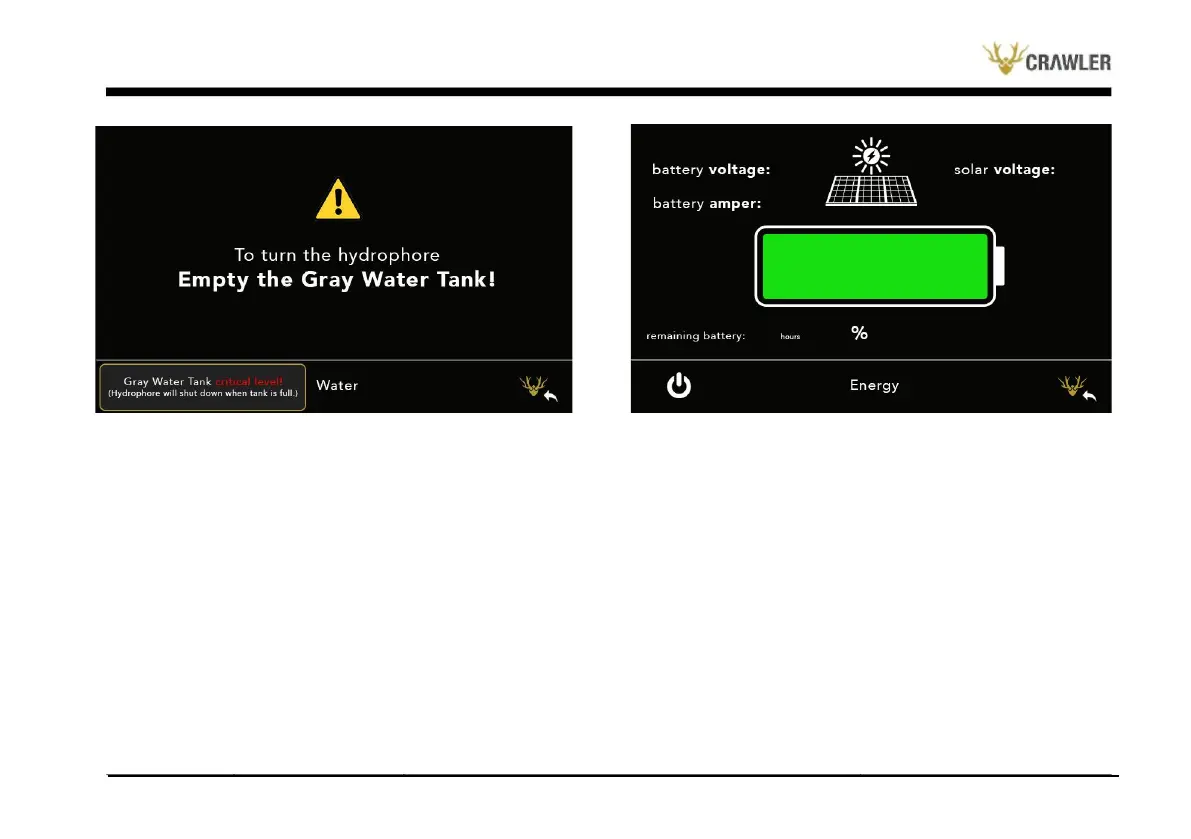
As the amount of current drawn per minute increases, the remaining
time decreases, and as the current drawn decreases, the remaining
time increases. The electrical page is shown in the image below.
Electric Menu
The Electric Control menu is accessed by pressing the button with
the "Lightning" symbol on the main screen. The electricity page
has a battery icon and a solar panel icon. The battery icon represents
the battery on the ANKA300 and shows the battery status as a
percentage by coloring the inside of the battery. In addition to the
electricity menu, the instantaneous voltage of the battery and the
average current drawn per minute are shown. Values are updated
on average every minute.
Settings Menu
The Electric control menu is accessed by pressing the button with
the "Wheel" symbol on the main screen. In the settings menu, there
are time and date information and a group of buttons to set this
information. In order to set the time and date, there are two buttons
for each number, plus and minus visuals. It can be brought to the
desired value by using the digital plus and minus buttons to be
adjusted. The settings page is shown in the image below.


 To Next Page