Tutorials
0202 USB 2.0 Owner’s Manual 27
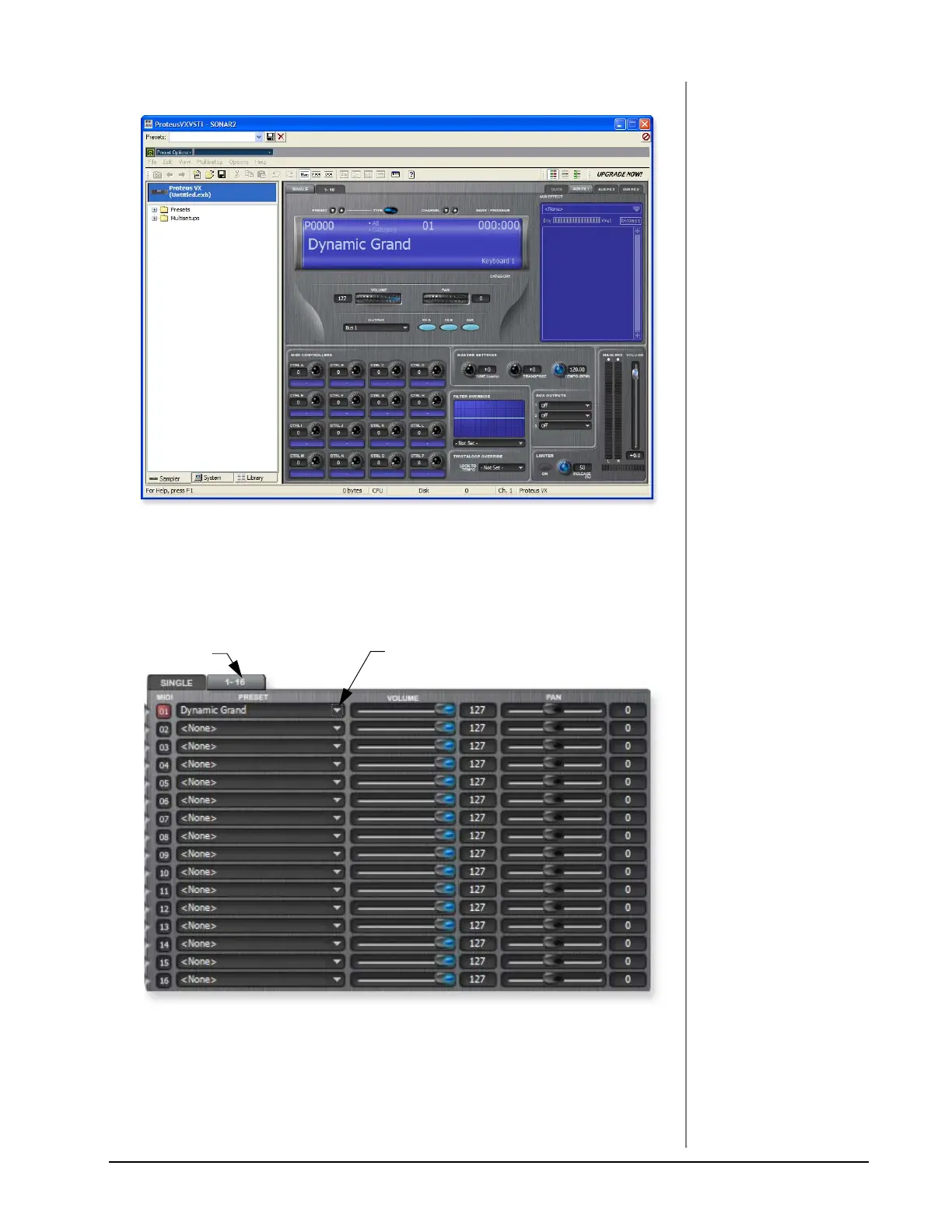
10. After a few seconds, the Proteus VX editor screen shown below appears.
Play the Proteus X Composer Bank.
11. Select the 16 channel tab. This page allows you to select presets for all 16 MIDI
channels.
12. Select a preset for MIDI Channel 1 by clicking the little triangle.
13. Play your MIDI keyboard and verify that it plays Proteus VX.
14. Feel free to play around for awhile selecting presets and exploring Proteus VX.
Don’t worry about losing anything. Nothing is made permanent until you
Save the bank, so don’t worry and have fun.
16 Channel Tab
Select Preset



 To Next Page