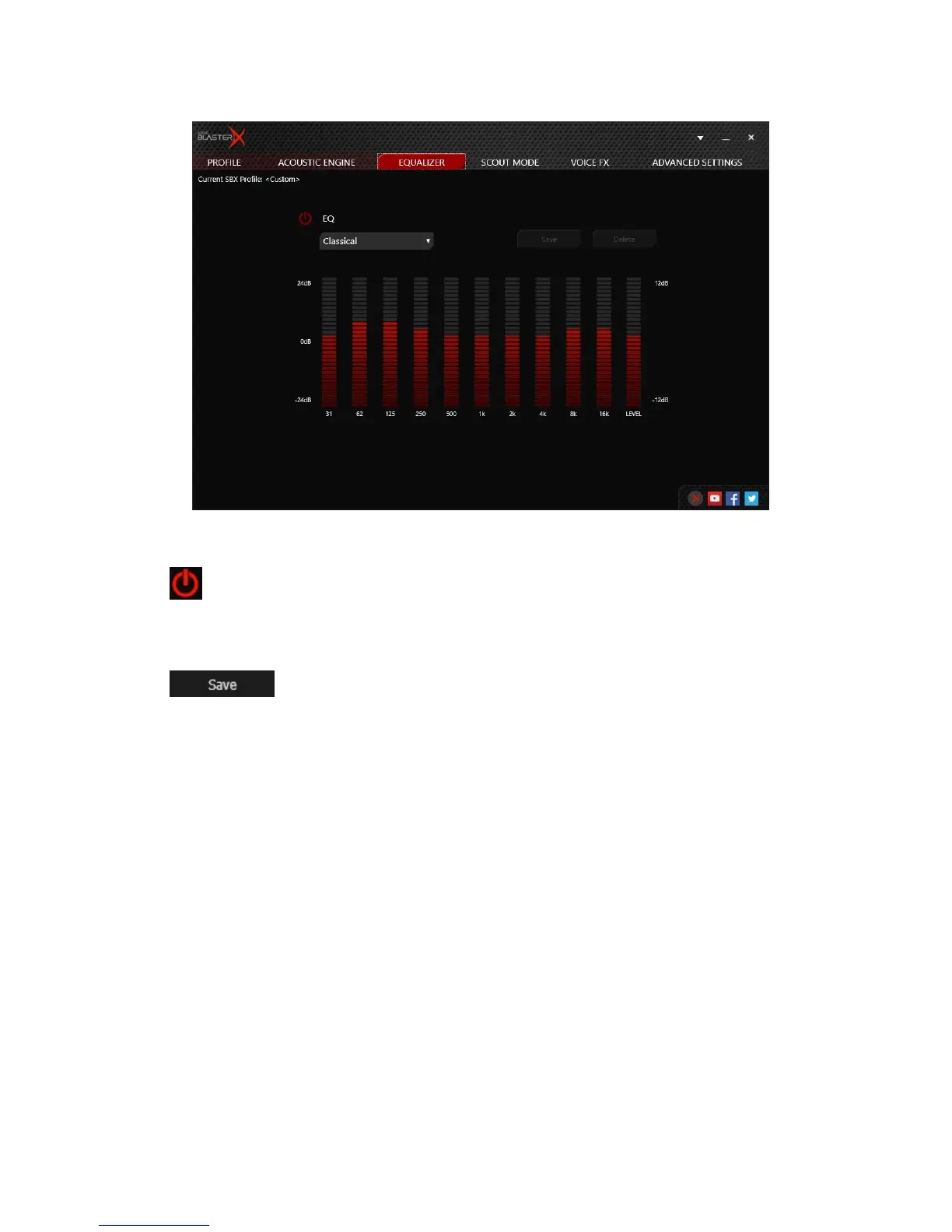
Equalizer Settings
Customizing Your EQSettings
1.
Click to enable this feature, then click the EQ drop-down arrow and select a preset from the
list.
2. Selecting a preset will move the EQ sliders to the appropriate values. You can then adjust the
equalizer setting by dragging the sliders up or down to the desired level.
3.
Click to save the new configuration as a new preset.
Note:
The list of default EQ presets cannot be deleted or overwritten.
Sound BlasterX H7 Tournament Edition – Using the Creative Software Suite 14


 To Next Page