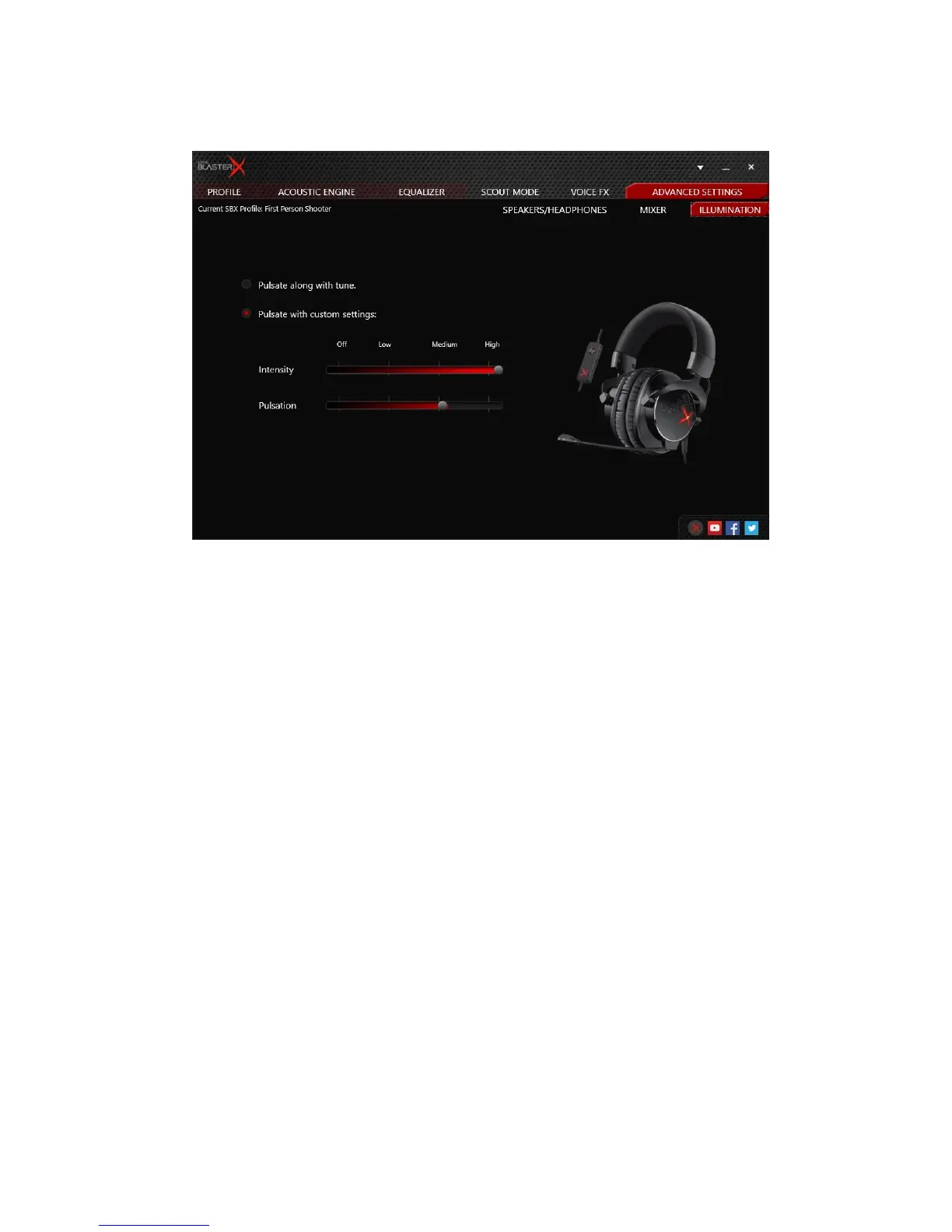
Illumination Settings
Adjust the intensity and pulsation effect of the "X" logo on your Sound BlasterX H7 earcups.
1. Pulsate along with tune
Select to set the illumination effect following the beat of your audio.
2. Pulsate with custom settings
Select to adjust the illumination effect to the desired level.
You can disable or adjust the intensity and pulsation levels by dragging the sliders left to decrease
or right to increase.
Sound BlasterX H7 Tournament Edition – Using the Creative Software Suite 19


 To Next Page