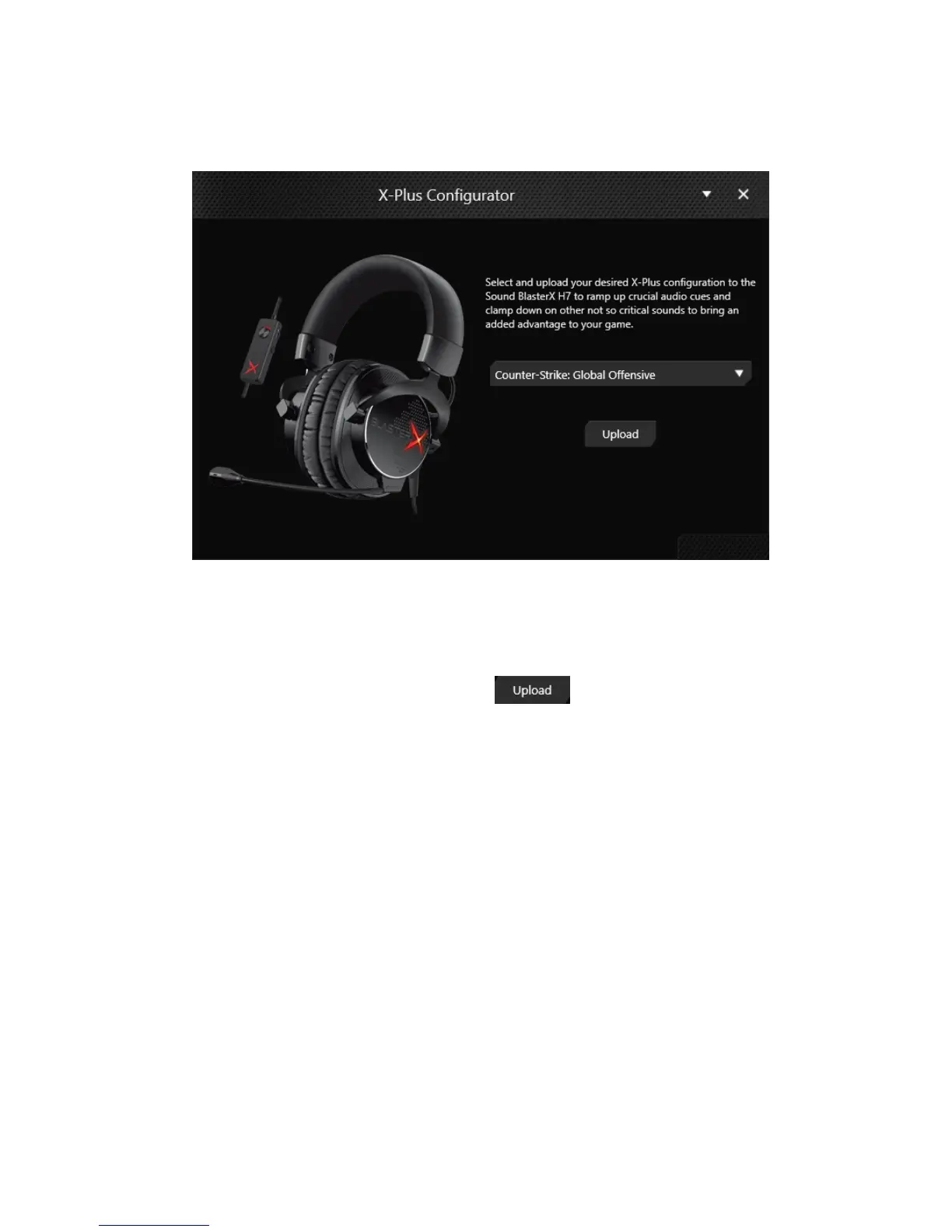
X-Plus Configurator
Configure your Sound BlasterX H7 with your desired game audio profile to enjoy the same enhanced
audio signature anywhere – no driver or application installation required.
1. Download and install the X-Plus Configurator application to configure the X-Plus audio signature
of your headset.
2. Connect your Sound BlasterX H7 to the computer.
3. Launch the X-Plus Configurator application.
4.
Select your desired X-Plus audio profile, and click .
5. To change the audio signature, repeat step 4 to select another game profile.
Note:
BlasterX Acoustic Engine Pro settings will be disabled when X-Plus Configurator is launched. To
further enhance and customize your audio, launch the BlasterX Acoustic Engine Pro application.
Sound BlasterX H7 Tournament Edition – Using the Creative Software Suite 20


 To Next Page