Using Your Player 3-5
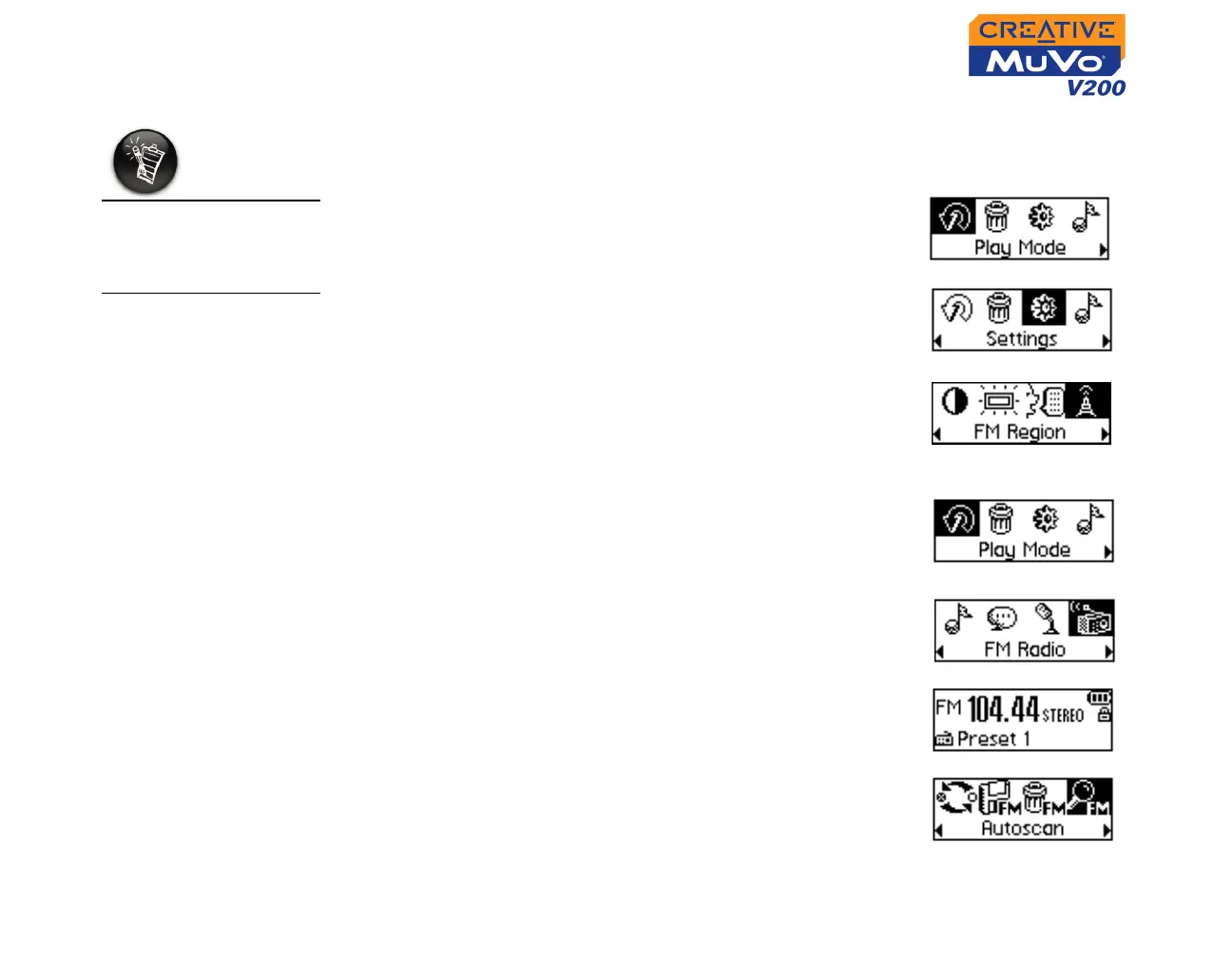
To change the FM region
Perform these steps when scanning for stations for the first time.
1. Press the Scroller.
The Main Menu (Figure 3-6) appears.
2. Scroll Select the Settings icon (Figure 3-7).
A list appears.
3. Scroll Select the FM Region icon
(Figure 3-8). A list appears.
4. Scroll Select the region that you are in.
To perform an autoscan and autosave
1. Connect your earphones to the earphone jack.
2. Press the Scroller.
The Main Menu similar to Figure 3-9 appears.
3. Scroll Select the FM Radio icon (Figure 3-10).
A radio frequency appears on the LCD screen
(Figure 3-11).
4. Press the Scroller.
5. Scroll Select the Autoscan icon (Figure 3-12).
The player scans and stores channels it detects. At
the end of the autoscan, it automatically saves all
channels plays the first channel.
Only two FM regions
are available —
International and
Japan.
Figure 3-6
Figure 3-7
Figure 3-8
Figure 3-9
Figure 3-10
Figure 3-11
Figure 3-12













 To Next Page