User Manual for Wrist Oximeter
-20-
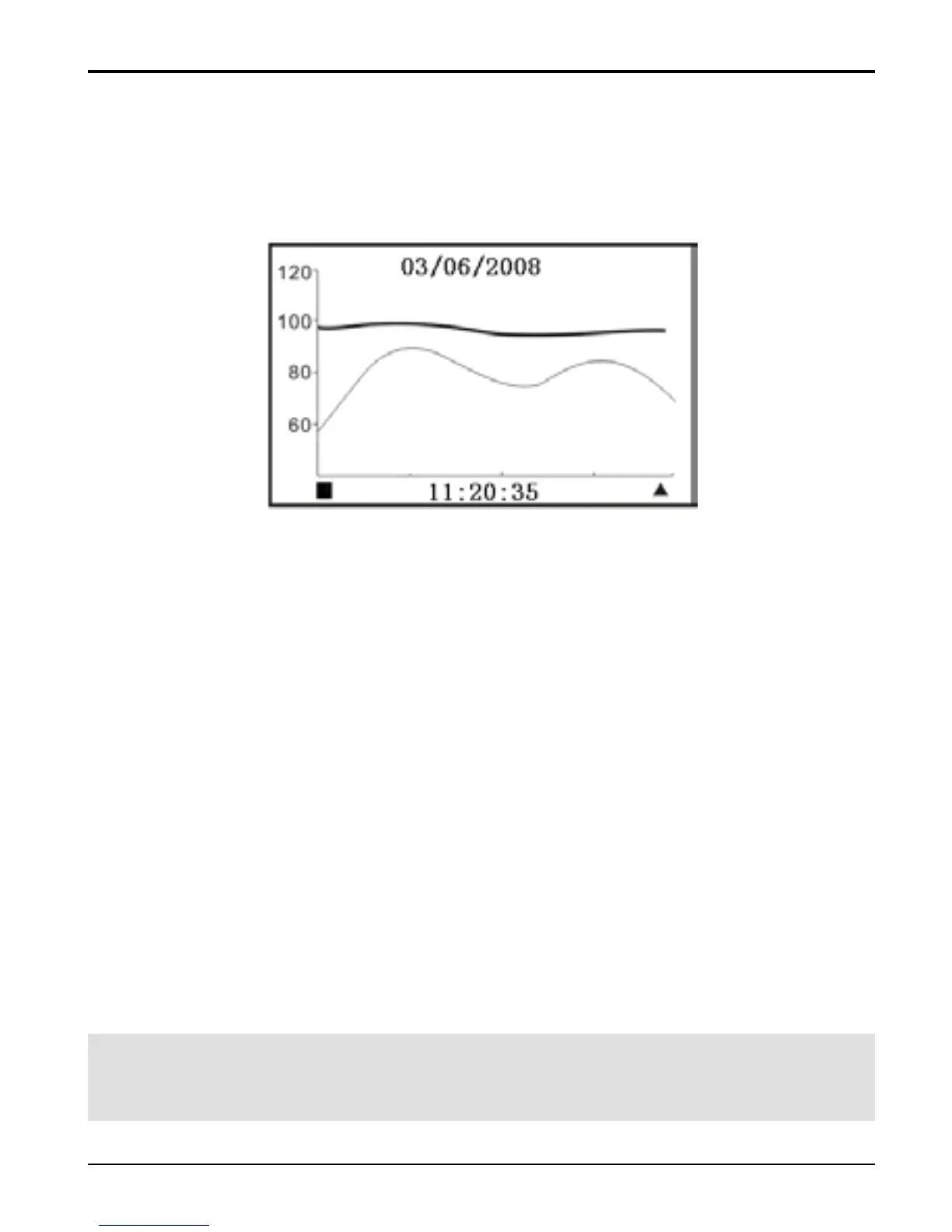
3.2.4 Trend Review
On menu screen, select “Trend Review” and press “
■” key
to enter Trend Review screen, as shown in Figure 16.
Figure 16 Trend Review Screen
“03/06/2008”: date of the measurement
“11:20:35”: initial time of trend graph displayed
on this screen;
“
■ ▲”: Page scroll (left/ right) symbol;
Curves in the middle area:
Green curve: indicate pulse rate trend curve;
Orange curve: indicate SpO
2
trend curve;
Operation Instructions:
Short time press “
▲” key: Page scroll right;
Short time press “
■” key: Page scroll left;
Longtime press “
■” key: back to the menu screen;
Note: when the display screen is menu screen or its
submenu screen, the measurement will be interrupted.



 To Next Page