Installing PC-CAM 350 1-2
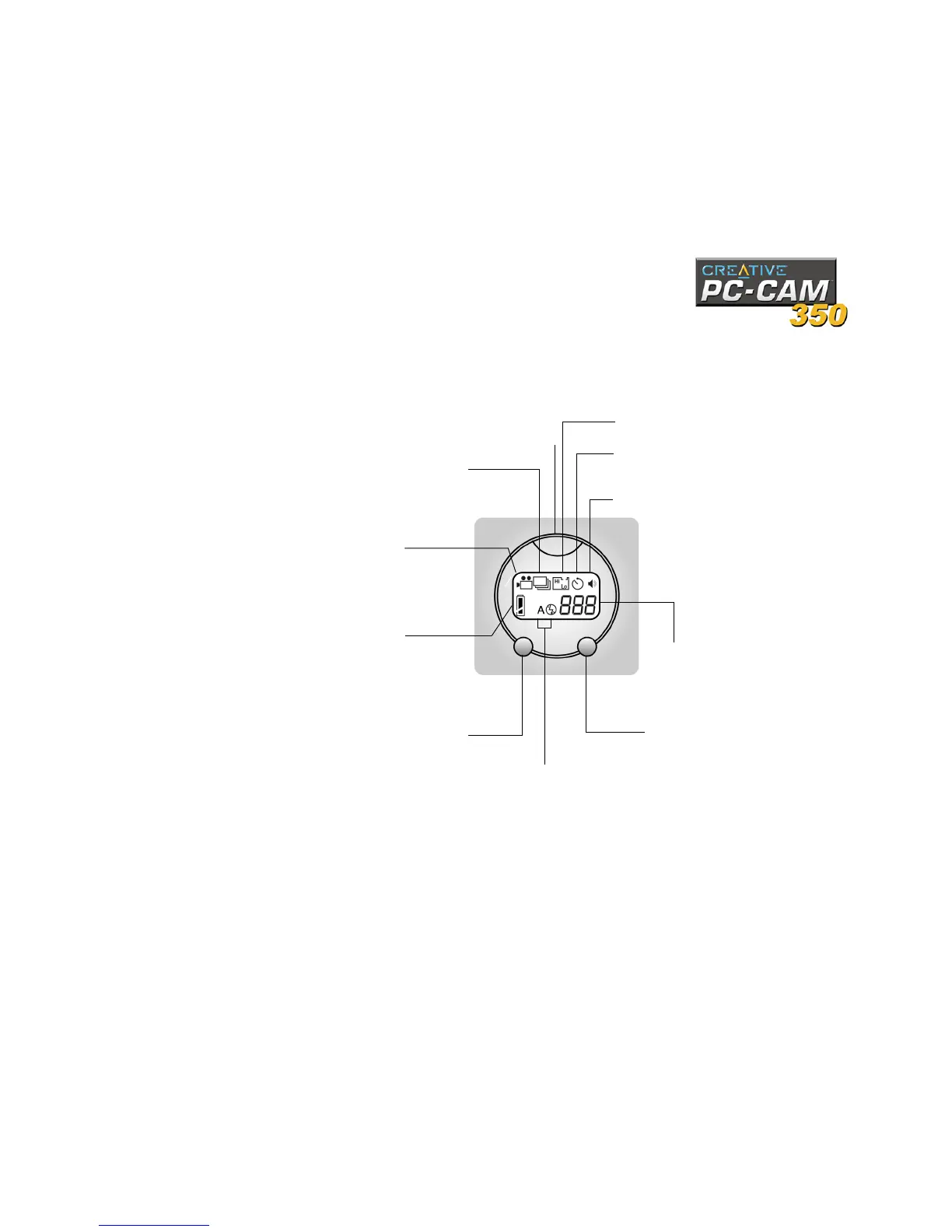
Figure 1-2 shows the buttons and Liquid Crystal Display (LCD) on the camera.
Figure 1-2: Buttons and LCD on PC-CAM 350.
Self-timer single snapshot (normal
resolution) and Self-timer single snapshot
(high resolution) modes icons
Battery level indicator
Operation mode button
Flash mode button.
Image counter
Power button
Flash mode Icons
Audio cues enabled icon
Multiple-snapshot (normal
resolution) mode icon
Single snapshot (high resolution),
Single snapshot (normal resolution)
and Single snapshot (low resolution)
modes icons
Video Recording icon



 To Next Page