2-5 About Your Camera
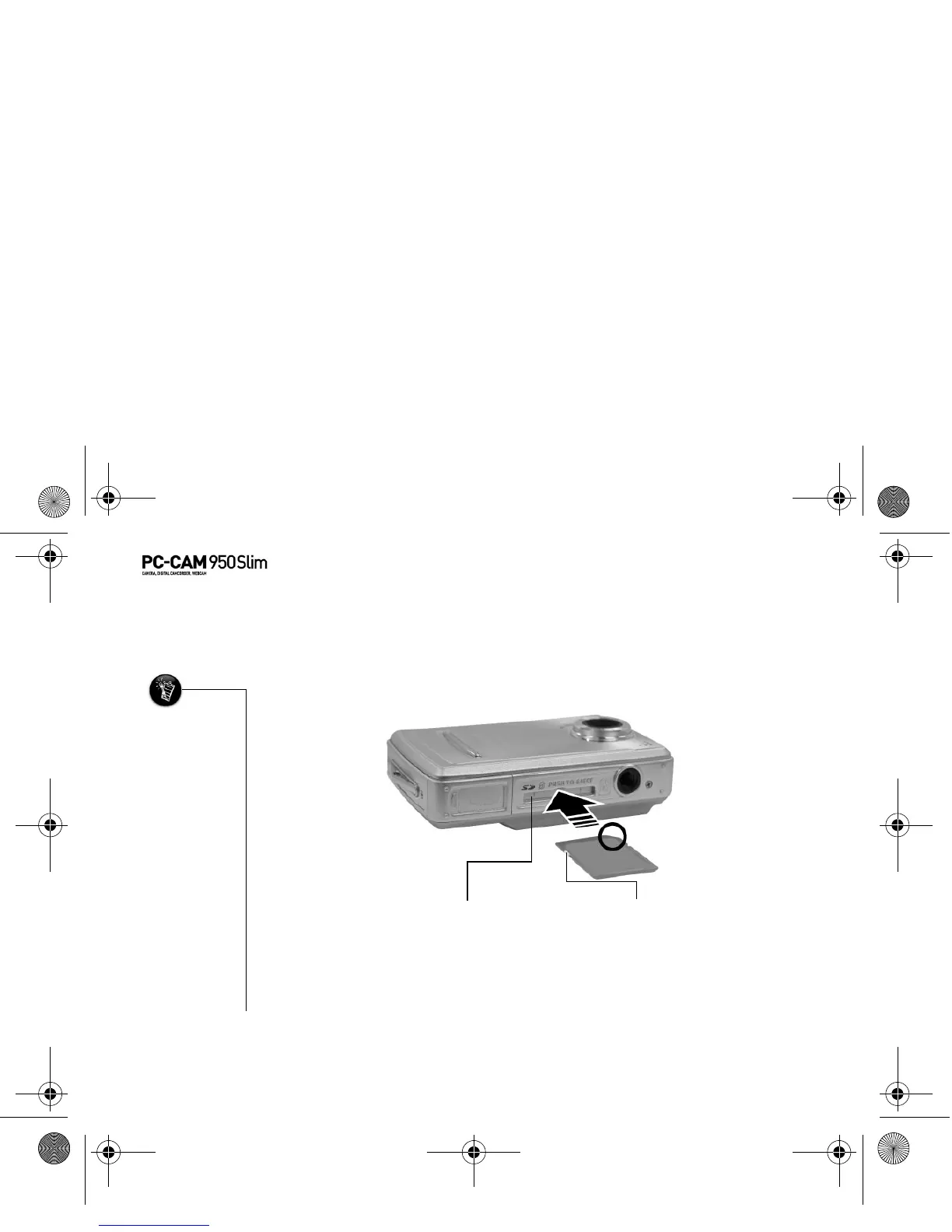
Inserting an SD
Memory Card
(optional)
You can purchase a Secure Digital (SD) memory card to extend the image storage
capacity of your camera.
To install your SD card, insert the SD card as shown.
To remove the card, push the card.
• The SD memory
card has a
write-protect
switch to prevent
the accidental
deletion of
valuable data.
This switch is
disabled by
default.
• When the SD card
is protected,
images cannot be
recorded. If you
try to record or
delete an image
with the camera,
the "SD Card
Locked" message
will appear in the
LCD.
• To write or erase
data from the SD
memory card,
release the
write-protect
switch.
SD removable card slot
Figure 2-4: Inserting a memory card
Write-protect switch
PC-CAM 950 Slim.book Page 5 Tuesday, August 23, 2005 12:57 PM



 To Next Page