Installing Hardware 1-8
Step 3: Install the
Joystick/MIDI
bracket
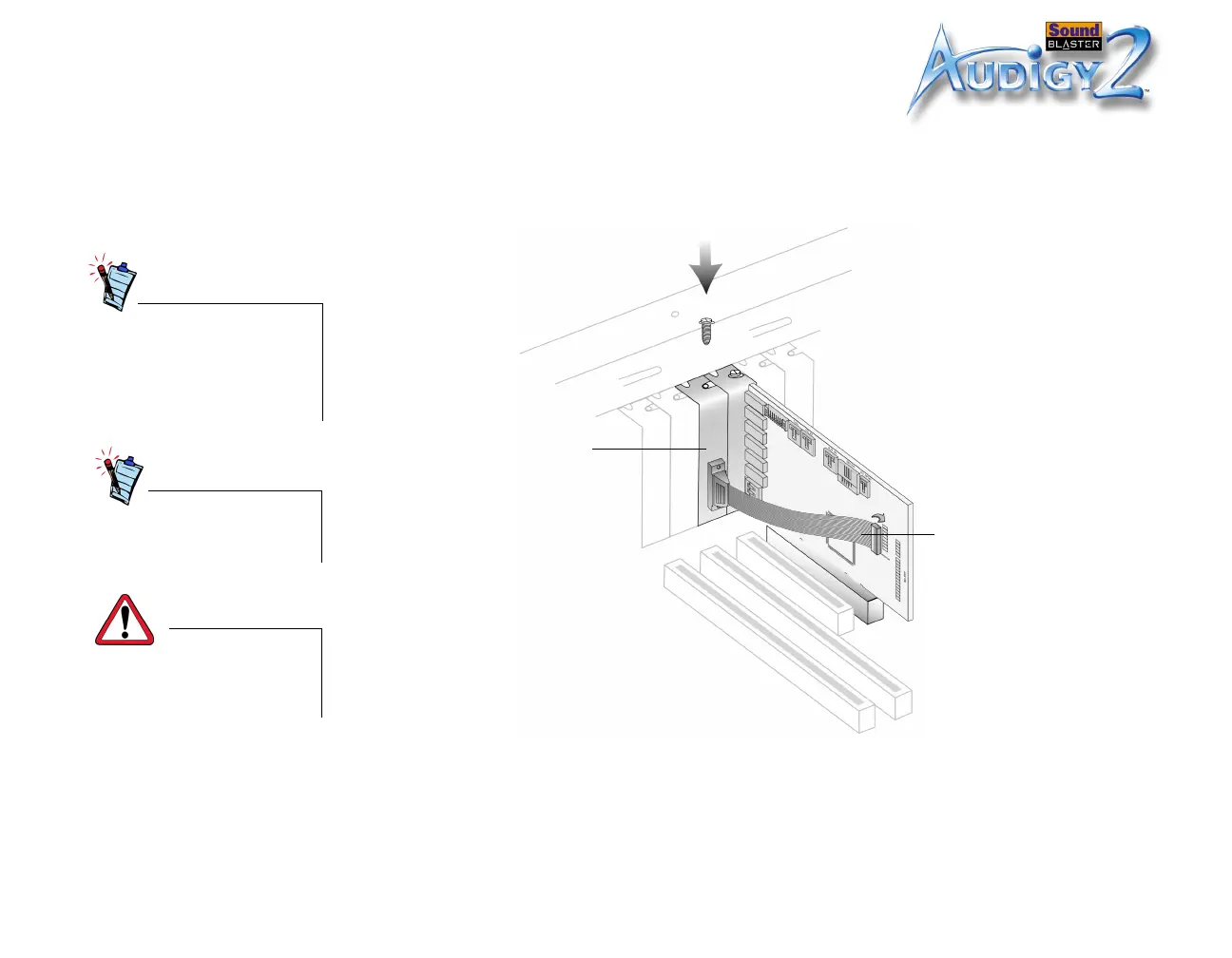
1. If you are installing a joystick or MIDI device (optional), secure the Joystick/MIDI
bracket* to the slot next to the Sound Blaster Audigy 2 card with the second
screw.
2. Connect the Joystick/MIDI cable* to the Joystick/MIDI connector on the Sound
Blaster Audigy 2 card as shown in Figure 1-5.
You may also connect all the
cables to the Sound Blaster
Audigy 2 card first before
securing the card and
Joystick/MIDI bracket in
place.
*Available with some
models of the Sound Blaster
Audigy 2 card.
Do not force any cable into a
connector. This can cause
permanent damage to your
hardware.
Figure 1-5: Securing the Joystick/MIDI bracket.
Joystick/MIDI bracket
Joystick/MIDI cable













 To Next Page