Installing Hardware 1-17
Positioning Your
Speakers
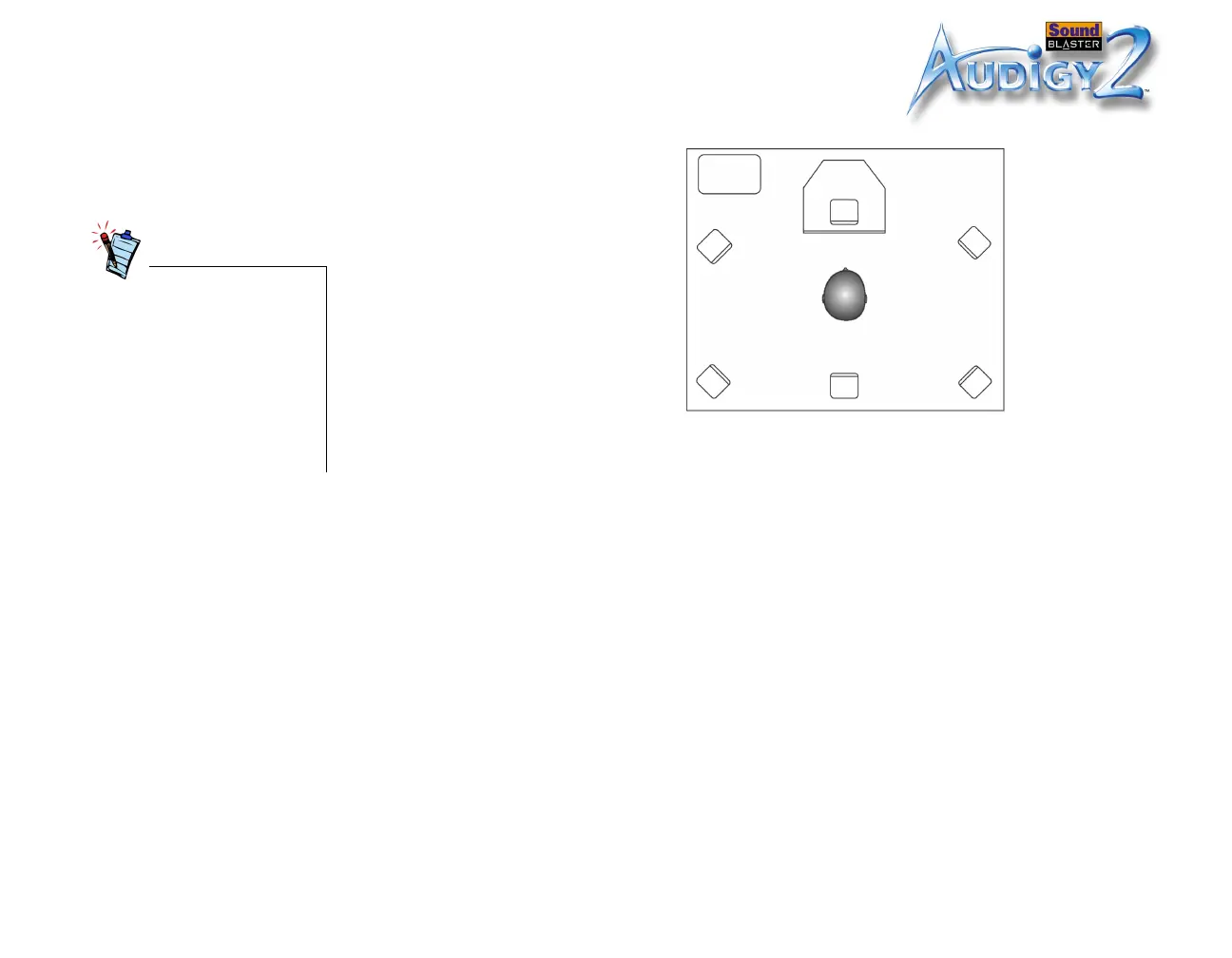
If you are using six speakers,
place them to form a circle
around you (as in Figure 1-10)
and angled toward you. Make
sure that the computer monitor
is not blocking the path of your
front speakers. You may want to
adjust the relative positions of
the speakers until you get the
audio experience you like best. If
you have a subwoofer, place the
unit in a corner of the room for
the best bass experience.
Good loudspeaker placement
can enhance your movie
enjoyment, while careless
placement can make good
audio systems sound bad. For
detailed loudspeaker
placement tips, visit the Dolby
Laboratories web site at
http://www.dolby.com/ht/
co_br_0110_ListenersGuideE
X.html
Figure 1-10:Recommended speaker
positions.
Listener
SW
CS
FL
RL
RC
RR
FR
FL: Front-left
speaker
CS: Center
speaker
FR: Front-right
speaker
RR: Rear-right
speaker
RC: Rear-center
speaker
RL: Rear-left
speaker
SW: Subwoofer













 To Next Page