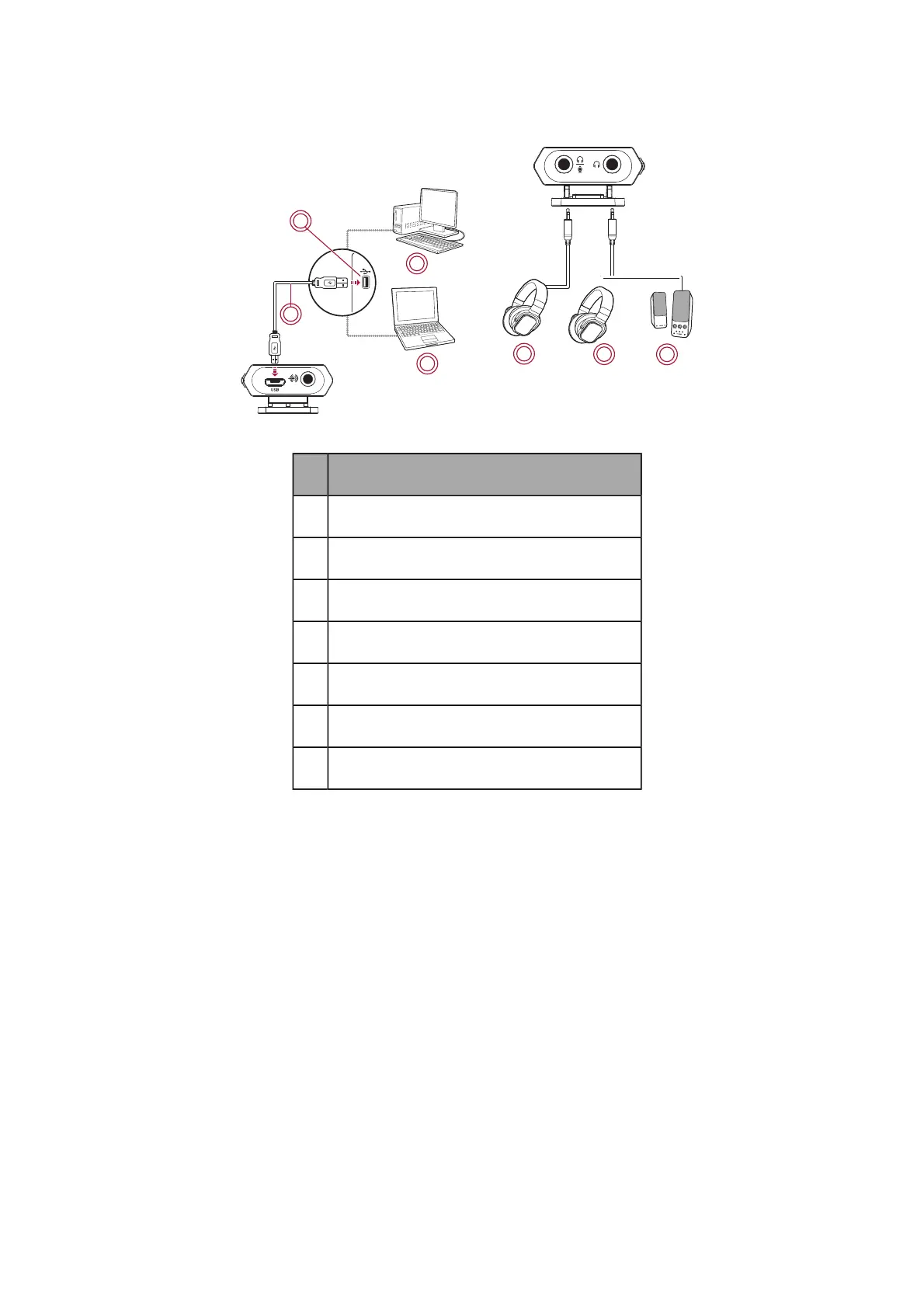
Playing music from a computer
BASS
TREBLE
OFF
AUX IN
MAX
VOLUM
E
1
3
4
5
6
7
2
Component
1
USB cable
2
USB port
3
PC/Mac
4
Laptop
5
Headphones
6
Headphones
7
Speakers
Enhance audio playback with SBX Pro Studio enhancements such as immersion control, dynamic range
restoration, low-frequency boost, dialog boost, and automatic volume levelling. See Using the
Creative Software Suite – SBX Pro Studio Settings.
Note:
USB audio from your computer is muted if an audio cable is connected to the Line In jack.
Sound Blaster E1 – Using Your Audio Device 12


 To Next Page