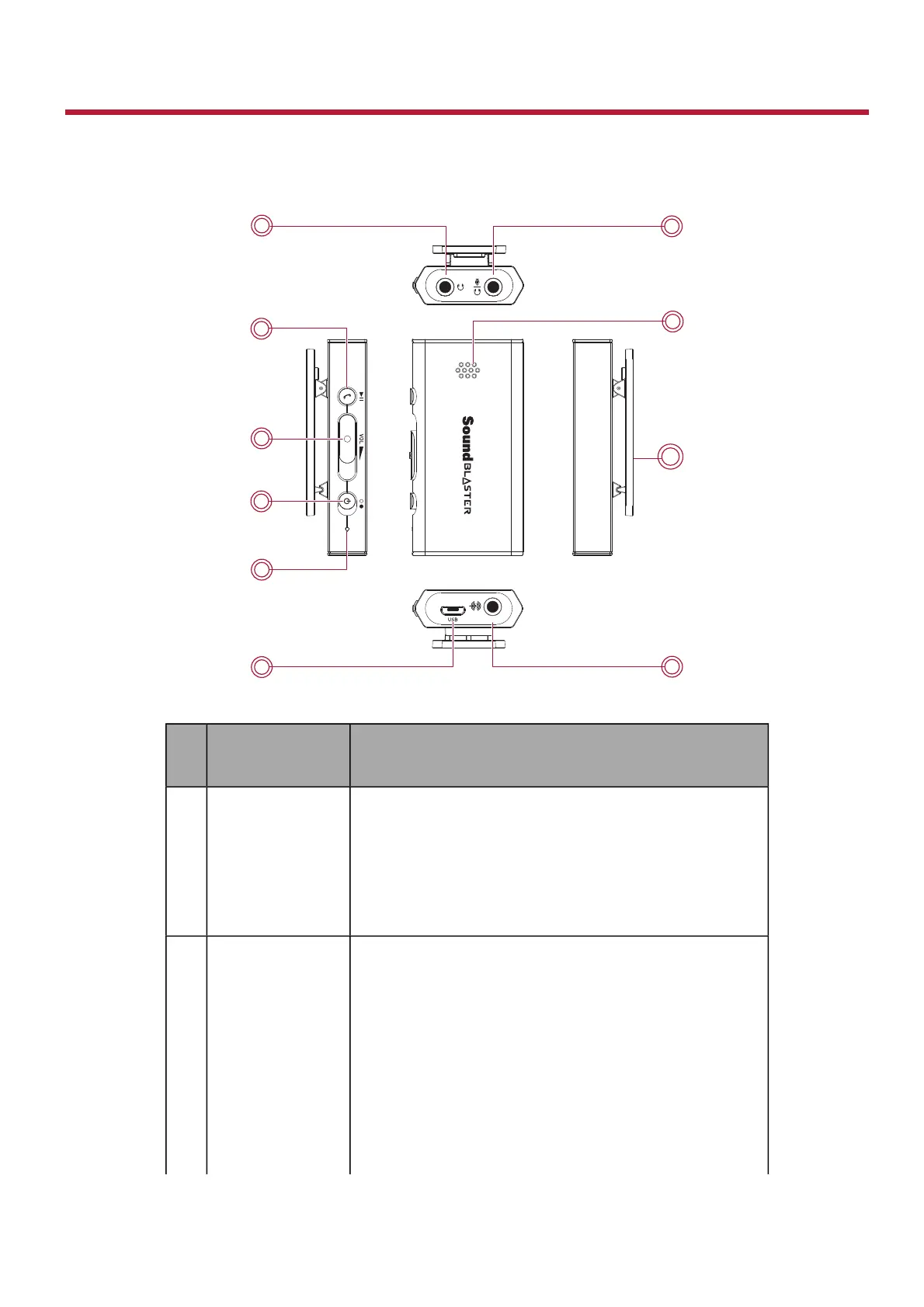
About Your Hardware
The Sound Blaster E1 has input and output jacks to enable connection to various devices while controls
on the side give you basic control over your audio device.
Jack /
Control
Description
1
Headphone /
Line Out jack
Connects to stereo headphones with a 3.50 mm
(1/8-inch) plug.
OR
Connects to the Front Left and Front Right inputs on
powered analog speakers with a 3.50 mm (1/8-
inch) plug.
2
Multifunction
button
Audio playback on device
Press to play/pause a track.
Answer/End calls on device
Press once to answer an incoming call.
Press again to end a call.
Note:
The use of the Multifunction button is not
supported when connected to a PC/Mac.
Sound Blaster E1 – About Your Hardware 3


 To Next Page