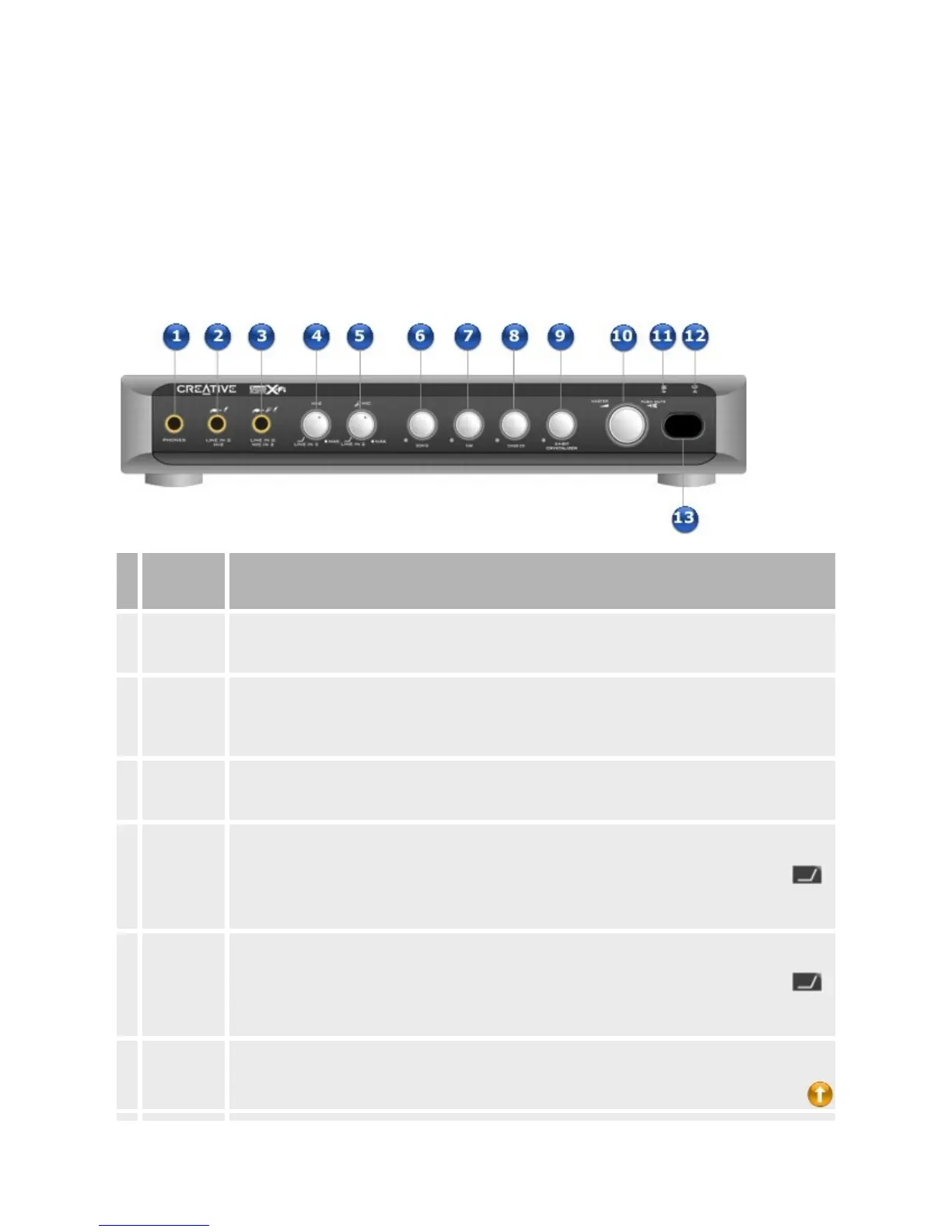
YourSoundBlasterX-FiI/OConsole*
TheX-FiI/OConsoleprovidesadditionalconnectivityforanumberofother
devices.
Frontpanel
Jackor
Dial
Description
1.
Headphone
jack
Connectstereoheadphoneswitha6.35mm(1/4-inch)stereoplugtothisjack.Speakeroutputwillbe
mutediftheAutomaticallymutespeakerscheckboxisselectedinAudioConsoleorEntertainment
Mode.Formoreinformation,refertotheironlineHelp.
2.
LineIn3/Hi-
Zjack
Connectaline-levelsource(suchasacassette,DATorMiniDiscplayer)tothisjack.Youcanalso
connectalowoutputimpedancedevicesuchasanelectricguitarwhenHi-Zisenabled.
Hi-Zoffershighinputimpedancetomatchtheloaddeliveredbylowoutputimpedancedevices.This
eliminatestheneedtorunsuchdevicesthroughpre-ampequipment.
3.
LineIn
2/MicIn2
jack
Connectaline-levelsource(suchasacassette,DATorMiniDiscplayer,oranelectricguitarrunning
throughaPre-ampFXBox)oramicrophonetothisjack.
4.
LineIn3/Hi-
Zdial
SelectsLineIn3orHi-Z.Alsocontrolstheinputgain.Turnthedialclockwisetoincreasetheinput
gain,andcounterclockwisetodecreasetheinputgain.
ToselectLineIn3forline-levelsources,turnthedialcounterclockwiseovertheseparatormark
untilyouheara"click".ToselectHi-Zforlowoutputimpedancedevicessuchasanelectricguitar,
turnthedialclockwiseovertheseparatormarkuntilyouheara"click".
5.
LineIn
2/MicIn2
dial
SelectsLineIn2orMicIn2.Alsocontrolstheinputgain.Turnthedialclockwisetoincreasetheinput
gain,andcounterclockwisetodecreasetheinputgain.
ToselectLineIn2forline-levelsources,turnthedialcounterclockwiseovertheseparatormark
untilyouheara"click".ToselectMicIn2,turnthedialclockwiseovertheseparatormarkuntilyou
heara"click".
6. 3DMIDIdial
Turns3DMIDIonoroffwhenpressed.Turnthedialclockwiseorcounterclockwisetoadjustthepan
spreadoftheMIDIsourceinrelationtotheFrontdirectiononthehorizontalplane.














 To Next Page