About Sound Blaster 1-3
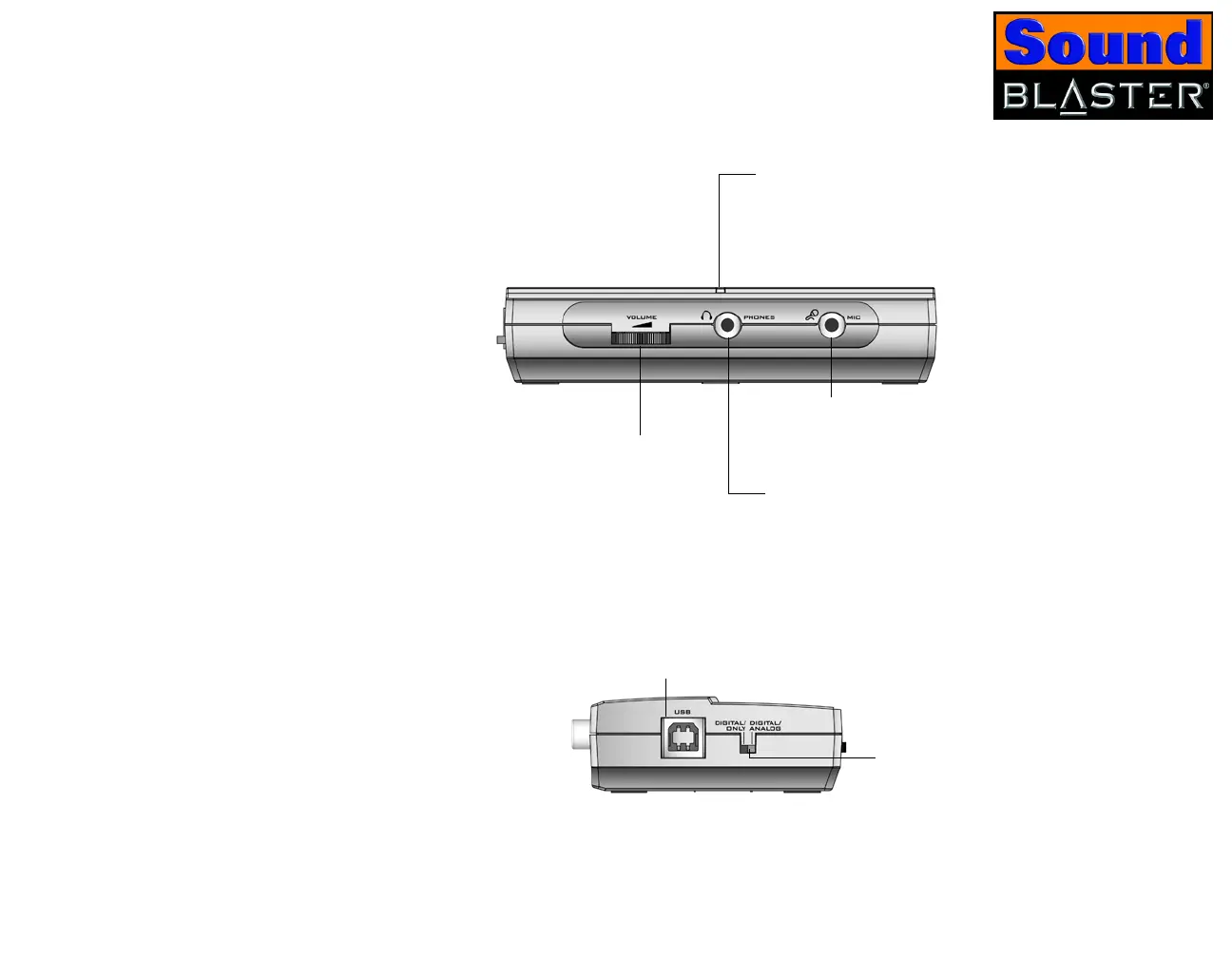
Figure 1-3: Jacks, connectors and ports on Sound Blaster
Side
Panel
Digital/Analog switch
Switches between Digital Only
and Digital/Analog modes.
USB port
Connects to the
computer’s USB port
using a USB cable.
Microphone jack
Connects to an external
microphone.
Headphones Volume Control
Adjust the headphones volume
by turning this dial left or right.
Headphones jack
Connects to a pair of
headphones. Your speaker
output is muted when you
connect the headphones to
Sound Blaster.
Power LED
Lights up blue when Sound
Blaster is connected to your
computer.
Front
Panel













 To Next Page