Installing Sound Blaster 2-4
Attaching Sound
Blaster
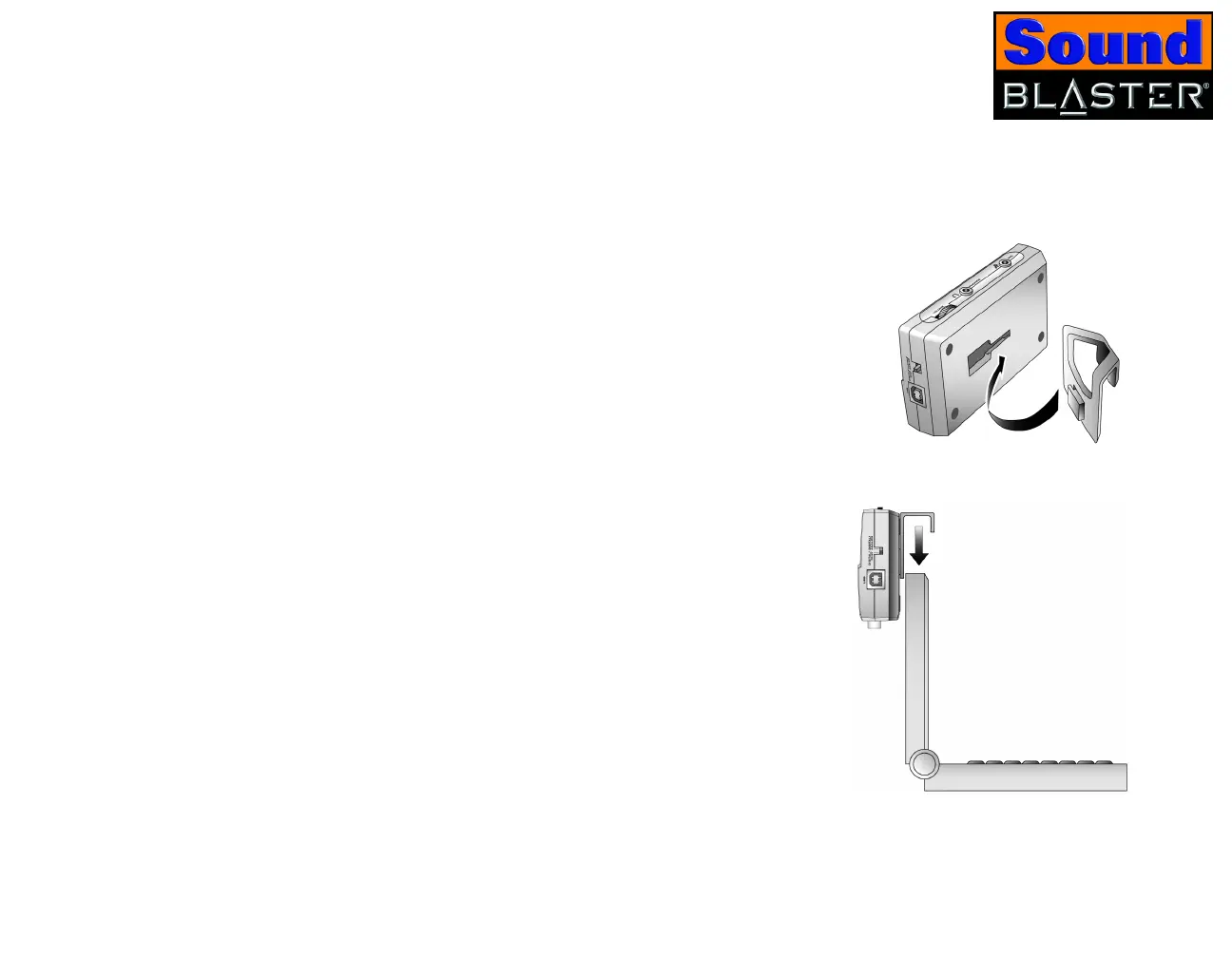
Using a clip 1. Insert the clip provided into the slot located at the
back of Sound Blaster, as shown in Figure 2-2.
2. Using the clip, place Sound Blaster onto the top
of your notebook’s LCD screen as shown in
Figure 2-3.
Figure 2-2: Connecting the clip to
Sound Blaster.
Figure 2-3: Connecting the clip to
your notebook.













 To Next Page