Using Your Xmod Wireless 7
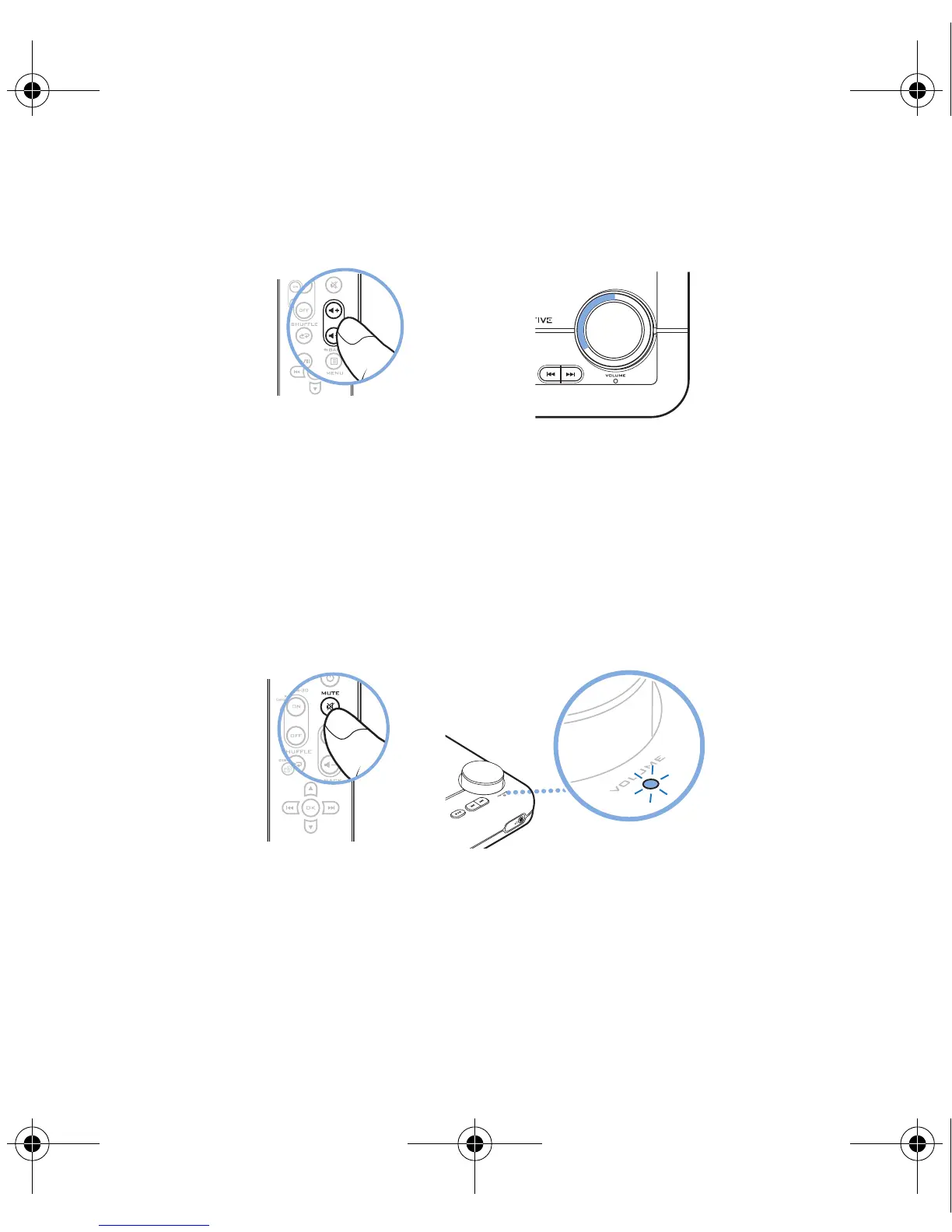
Adjusting volume
When you adjust the volume, the Volume LED ring indicates for about four
seconds the level selected. Subsequently, the entire Volume LED ring
remains lit.
Muting audio
When you mute audio, the Power/Standby LED flashes red.
To unmute, press the Mute button again. The Power/Standby LED lights up
blue.
NOTES
You can also use the Volume Control on your Xmod Wireless or the
volume setting on your computer’s media player.
NOTES
You can also press the Volume Control on your Xmod Wireless or
the mute button on your computer’s media player.
Bob UG.fm Page 7 Thursday, February 22, 2007 4:04 PM



 To Next Page